





Noyafa NF-8506 PING Test & IP Scan Guide Malaysia Troubleshoot Network Devices

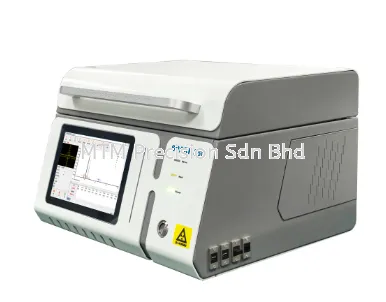
Noyafa NF-8506 PING Test & IP Scan Guide Malaysia Troubleshoot Network Devices An Ethernet cable can pass a basic wiring test while the connected IP camera, computer, access point, or other network device still cannot communicate. This is because physical cabling is only one part of network troubleshooting. The Noyafa NF-8506 Multi-function Cable Tester combines physical cable testing with network diagnostic functions including PING testing and IP scanning. This makes it useful for network technicians, IT teams, CCTV installers, ELV contractors, and maintenance personnel who need to troubleshoot both cables and connected network devices. What Is a PING Test? PING is one of the most common tools used to check basic IP network connectivity. In simple terms, it helps answer the question: “Can I reach this IP address through the network?” If a device responds, it provides useful evidence that communication exists between the tester and the target under the current network conditions. If it does not respond, further troubleshooting is required. A failed PING does not automatically mean the Ethernet cable is faulty. What Is IP Scan? IP scanning helps technicians identify IP addresses or devices present on a network. This can be useful when: Network documentation is incomplete An IP camera address is unknown Equipment has been replaced Technicians are taking over an existing installation Multiple network devices need to be investigated The network configuration is unclear IP-related diagnostic functions are especially valuable when troubleshooting active Ethernet networks rather than just testing loose cables. Why Is Wire Map Alone Not Enough? A wire-map test focuses primarily on the physical cable connection. Suppose an Ethernet cable passes its wiring test. The connected IP camera is still offline. Possible causes may include: Incorrect IP address Incorrect subnet configuration Network switch configuration Device failure PoE problem Network routing issue Duplicate IP address Incorrect connection Other network configuration problems This demonstrates why physical-layer testing and network-layer diagnostics should be treated as different stages of troubleshooting. How to Use PING During Troubleshooting A practical diagnostic workflow starts by defining the problem. For example: “This IP camera cannot be viewed from the NVR.” Rather than immediately replacing the camera, investigate systematically. Step 1 Inspect the Physical Connection Check the Ethernet cable, RJ45 connectors, patch leads, and network equipment. Step 2 Test the Cable Use the appropriate cable testing function to investigate the physical wiring. Step 3 Check PoE If the device uses PoE, verify the relevant PoE condition. Step 4 Identify the Device IP Determine the IP address that should be assigned to the device. Step 5 Perform PING Use PING to check whether the target IP responds. Step 6 Continue Diagnoss Interpret the result together with the other information collected. This is more effective than assuming every offline network device has a bad cable. Example: IP Camera Cannot Be Pinged Suppose an IP camera is installed in a factory. The camera has stopped appearing on the monitoring system. The technician performs a PING test and receives no response. What does this mean? It tells the technician that further investigation is necessary, but it does not identify the cause by itself. The next checks may include: Is the camera receiving power? Is PoE available? Is the Ethernet cable correctly terminated? Is the cable damaged? Is the camera connected to the correct switch port? Is the IP address correct? Is the camera on the correct subnet? Is there an IP conflict? Has the device failed? A good technician combines several tests before reaching a conclusion. Example: Office Network Point Not Working An employee reports that a desktop computer cannot access the network. A technician might investigate: Physical cable → Wall outlet → Patch cable → Network cabinet → Switch port → IP configuration → PING If the cable is good but the target network address cannot be reached, attention can move from the physical cable toward the network configuration or connected equipment. This can reduce unnecessary cable replacement. IP Scan for Existing Networks IP scanning becomes particularly useful when technicians take over an existing network. Imagine arriving at a site with: No current network diagram Unknown IP camera addresses Equipment installed by several contractors Missing passwords and labels Multiple network switches Poor documentation Before making major changes, technicians need to understand what equipment is actually present. IP scanning can provide useful information during this discovery process. PING Testing for CCTV Installers IP CCTV is one of the strongest applications for network diagnostic tools. A typical system includes: IP Camera → Ethernet Cable → PoE Switch → Network → NVR When a camera goes offline, the fault may exist at several points along this chain. The NF-8506 can assist with different parts of the investigation through functions such as: Cable tracing Wire mapping Cable length measurement PoE testing Port identification PING IP scanning This makes it more useful to CCTV installers than a basic RJ45 continuity tester when troubleshooting IP-based surveillance systems. PING Testing for IT Support IT support personnel frequently encounter complaints such as: “No network.” “Cannot connect to server.” “Printer is offline.” “Access point is not working.” “Cannot reach this device.” “Network point is dead.” These symptoms can come from physical or logical network problems. A multifunction tester allows technicians to investigate both sides of the problem more systematically. PING Test vs Cable Test These tests answer different questions. Cable Test Primarily investigates the physical Ethernet cable and its wiring condition. PING Test Investigates whether a target IP address can be reached through the network under the test conditions. A cable can pass its physical test while PING fails. Likewise, a PING failure does not automatically prove that the cable is damaged. Understanding this distinction prevents incorrect diagnosis. Why Combine PING and IP Scan with Cable Testing? For professional field work, the biggest advantage is workflow. Instead of stopping after checking the cable, the technician can continue investigating the active network. For example: Trace Cable → Wire Map → Check PoE → Find Switch Port → IP Scan → PING This gives technicians a more complete troubleshooting process. Common Mistake: Replacing Equipment Too Early When an IP camera or network device stops working, replacing the device immediately can be expensive. The fault may actually be caused by: Cable damage Incorrect termination Missing PoE Wrong switch connection Incorrect IP settings Network configuration Testing systematically helps reduce unnecessary replacement. For contractors, this can also improve the professionalism of troubleshooting reports to customers. Who Needs PING and IP Scan Functions? These functions are particularly useful for: IT technicians Network contractors CCTV installers ELV contractors System integrators Facility maintenance teams Network maintenance companies Building maintenance personnel Users who only make Ethernet patch cables may not require these functions. Technicians who troubleshoot active IP networks are much more likely to benefit. Noyafa NF-8506 Network Diagnostic Tester Malaysia The Noyafa NF-8506 is useful because it does not treat Ethernet testing as only a continuity-checking task. It combines physical cable functions with basic network diagnostics. For Malaysian technicians working with office networks, IP CCTV systems, factories, hotels, commercial buildings, schools, and other network infrastructure, this can provide a more practical troubleshooting toolkit. Looking for a PING & IP Network Tester in Malaysia? If your requirement is only checking RJ45 wiring, a basic cable tester may be sufficient. If your work frequently involves active network troubleshooting, IP cameras, PoE equipment, switches, and unidentified network devices, functions such as PING and IP scanning become considerably more valuable. The Noyafa NF-8506 is worth considering when you want cable testing and basic network diagnostics in one portable instrument. MTM Precision can help recommend a suitable network tester according to your actual application. Contact MTM Precision For Noyafa NF-8506 PING & IP Network Tester in Malaysia, quotation, availability, or network testing equipment recommendations, contact: MTM Precision Sdn Bhd No. 29-1 & 29-2, Jalan Bandar 18 Pusat Bandar Puchong 47160 Puchong, Selangor, Malaysia Website: www.mtmpre.com.my WhatsApp: +6016-660 7346 Email: mtmpre@yahoo.com
24 Aug 2026


