







Anti Spy Detector Troubleshooting Malaysia - NOYAFA JMS110 Common Problems and Solutions

Anti Spy Detector Troubleshooting Malaysia - NOYAFA JMS110 Common Problems and Solutions
Introduction
Anti spy detector troubleshooting Malaysia is an important topic for users who experience unexpected indications, confusing inspection results or operating difficulties with portable privacy inspection equipment.
An anti spy detector may be used for preliminary privacy checks in hotels, serviced apartments, offices, meeting rooms and other authorized environments.
However, many ordinary electronic devices generate radio frequency signals, while reflective materials and magnetic objects may create misleading observations during certain inspection methods.
Users may also misunderstand what a detector can and cannot identify.
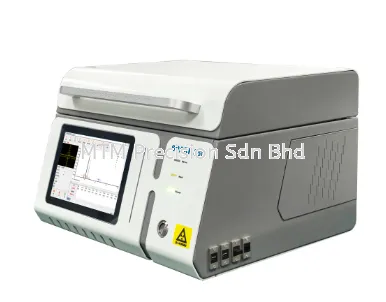
The NOYAFA JMS110 Anti Spy Detector is marketed for portable privacy inspection applications. Customers should verify the exact supported functions and operating procedures against official NOYAFA documentation for their supplied version.
This guide explains common anti spy detector problems, possible causes, responsible troubleshooting methods and important detection limitations.
It also addresses RF false alarms, hidden camera inspection concerns, GPS tracker detection limitations and situations where professional assistance may be necessary.
Important: This article provides general troubleshooting guidance. It does not replace the official NOYAFA JMS110 user manual or establish unverified product functions, technical specifications, detection capabilities or repair procedures.
1. Why Anti Spy Detector Troubleshooting Matters
Portable privacy inspection devices require careful interpretation.
An unexpected indication may have several explanations.
Examples include:
Ordinary wireless communication
Nearby electronic equipment
Reflective materials
Magnetic objects
Incorrect assumptions about detection methods
Environmental interference
Equipment operating difficulties
Troubleshooting helps users distinguish ordinary observations from concerns requiring further investigation.
However, troubleshooting does not guarantee complete surveillance detection.
2. Understanding Different Anti Spy Detection Methods
Different anti spy detectors may use different inspection methods.
RF Detection
Investigates certain radio frequency emissions.
Optical Inspection
May assist with identifying certain visible camera lens reflections.
Magnetic Detection
Investigates magnetic characteristics or attachments.
Visual Inspection
Involves examining accessible areas for unfamiliar objects.
These methods are not interchangeable.
Customers should verify which methods are officially supported by the exact detector model.
3. NOYAFA JMS110 Troubleshooting - Where to Begin
Before troubleshooting the NOYAFA JMS110, follow a structured approach.
Step 1 - Confirm the Exact Model
Check the product identification and supplied documentation.
Step 2 - Read the Official Manual
Follow the manufacturer's instructions for the exact version.
Step 3 - Review the Inspection Environment
Identify nearby wireless devices and other electronic equipment.
Step 4 - Observe the Problem
Determine whether the concern involves an unexpected indication, no observed indication or apparent operating difficulty.
Step 5 - Avoid Unsupported Procedures
Do not assume that controls or procedures from another detector model apply to the JMS110.
Step 6 - Contact the Supplier When Necessary
Seek assistance if the equipment appears not to operate normally.
4. Problem 1 - RF Detector Gives Frequent Alerts
Possible Causes
Frequent RF indications may be associated with ordinary wireless activity.
Potential sources include:
WiFi routers
Smartphones
Bluetooth accessories
Wireless microphones
Smart televisions
Wireless presentation equipment
Recommended Troubleshooting
Identify known wireless equipment.
Review the surrounding environment.
Follow the official detector instructions.
Avoid interpreting every indication as proof of surveillance.
An RF indication does not automatically establish that a hidden camera or listening device is present.
5. Problem 2 - RF Detector Responds Near a WiFi Router
Possible Cause
WiFi routers generate legitimate radio frequency transmissions.
Recommended Troubleshooting
Recognize the router as a known wireless source.
Consider whether the indication may be related to ordinary networking activity.
Do not label the router as surveillance equipment solely because the detector responds nearby.
6. Problem 3 - RF Detector Responds Near a Smartphone
Possible Cause
Smartphones use cellular communication, WiFi and other wireless technologies.
Their radio activity may vary during normal operation.
Recommended Troubleshooting
Consider ordinary phone communication activity.
Avoid assuming that an RF response means the phone is secretly recording.
A detector indication alone cannot establish the phone's purpose or activity.
7. Problem 4 - RF Detector Responds Near Bluetooth Devices
Possible Cause
Bluetooth accessories use radio frequency communication.
Examples include:
Wireless headphones
Speakers
Keyboards
Computer accessories
Wearable devices
Recommended Troubleshooting
Identify known Bluetooth equipment.
Consider ordinary wireless communication as a possible explanation.
Follow the manufacturer's official operating instructions.
8. Problem 5 - RF Indications Change Frequently
Possible Cause
Wireless communication activity may change over time.
Examples include:
Smartphones exchanging network information
WiFi devices transmitting data
Bluetooth accessories communicating
Wireless presentation equipment becoming active
Recommended Troubleshooting
Review the electronic environment.
Avoid assuming that changing indications prove audio or video recording.
Investigate systematically.
9. Problem 6 - RF Detector Responds Near Smart Televisions
Possible Cause
Some smart televisions include wireless communication functions.
Recommended Troubleshooting
Consider the television's ordinary electronic activity.
Identify nearby networking equipment.
Do not assume that an RF indication establishes the presence of a hidden camera.
10. Problem 7 - RF Detector Responds Near Office Equipment
Possible Causes
Office environments may contain:
WiFi access points
Video conferencing systems
Wireless presentation devices
Bluetooth accessories
Smart building equipment
Recommended Troubleshooting
Review the room's authorized electronic equipment.
Conduct inspections only with appropriate permission.
Seek professional verification if credible concerns remain unresolved.
11. Problem 8 - No RF Activity Is Detected
Possible Explanation
There may be no relevant detectable transmission under the conditions of the inspection.
However, some recording devices may:
Record locally
Use wired connections
Remain inactive
Transmit intermittently
Operate outside the detector's actual capabilities
Recommended Troubleshooting
Confirm that the detector is being used according to the official manual.
Do not treat a negative RF result as proof that no surveillance equipment exists.
12. Problem 9 - A Hidden Camera Is Suspected but No RF Signal Appears
Possible Explanation
Some cameras do not transmit wirelessly during recording.
They may store video locally or use wired connections.
Recommended Troubleshooting
Understand the limitations of RF inspection.
Conduct an authorized visual examination.
Use other inspection methods only if officially supported.
Seek professional verification for serious concerns.
13. Problem 10 - Optical Inspection Produces Many Reflections
This section applies only to equipment that officially supports optical inspection.
Possible Causes
Ordinary reflective materials may produce misleading observations.
Examples include:
Glass
Screws
Polished metal
Reflective plastic
Decorative objects
Recommended Troubleshooting
Examine suspicious objects visually.
Avoid assuming that every reflection is a camera lens.
Do not dismantle installed fixtures.
14. Problem 11 - No Camera Lens Reflection Is Found
Possible Explanation
A camera lens may not be visible under the inspection conditions.
Some cameras may be positioned behind obstacles or concealed within objects.
Recommended Troubleshooting
Do not treat the absence of a visible reflection as proof that no camera exists.
Understand the limitations of optical inspection.
Seek professional assistance if credible concerns remain.
15. Problem 12 - Magnetic Indications Appear Near Metal Objects
This section applies only to equipment that officially supports relevant magnetic inspection.
Possible Causes
Ordinary objects may contain magnetic materials.
Examples include:
Speakers
Magnetic mounts
Electronic accessories
Vehicle components
Other magnetic objects
Recommended Troubleshooting
Consider legitimate magnetic sources.
Do not assume that a magnetic indication proves the presence of a GPS tracker.
16. Problem 13 - GPS Tracker Is Suspected but No RF Signal Appears
Possible Explanation
Some tracking devices transmit intermittently or store information locally.
Others may be integrated into vehicle systems.
Recommended Troubleshooting
Do not assume that a negative RF result rules out every tracker.
For rental vehicles, review the rental agreement and contact the provider about authorized telematics.
For serious concerns, seek qualified automotive or security assistance.
17. Problem 14 - An Unfamiliar Electronic Object Is Found
Possible Explanation
An unfamiliar object may be legitimate equipment.
Examples include:
Networking accessories
Building control devices
Authorized security equipment
Vehicle telematics
Electronic sensors
Recommended Troubleshooting
Document the object's visible appearance if safe and authorized.
Seek clarification from the responsible property operator.
Avoid unnecessary handling or damage.
18. Problem 15 - The Detector Appears Not to Operate Normally
Possible Explanations
The equipment may require an operating check or technical assessment.
Without examining the specific unit, the cause cannot be confirmed.
Recommended Troubleshooting
Confirm the exact model.
Review the official manual.
Check for visible external damage.
Follow manufacturer-approved operating checks.
Contact the supplier if the issue remains unresolved.
Do not open the device or attempt unauthorized internal repairs.
19. Problem 16 - The Detector Was Dropped or Damaged
Possible Concern
Physical damage may affect electronic equipment.
Recommended Troubleshooting
Inspect the exterior for visible damage.
Avoid using equipment that appears unsafe.
Consult the supplier or authorized service personnel.
Do not assume that a damaged detector remains reliable.
20. Problem 17 - The User Is Unsure Which Inspection Method to Use
Possible Cause
Different privacy concerns require different investigation methods.
Recommended Troubleshooting
Identify the primary concern.
ConcernPotentially Relevant MethodMain LimitationActive wireless transmissionRF inspectionCannot identify every transmitter or its purposeSuspected camera lensOptical inspectionReflections may be misleadingPossible magnetic attachmentMagnetic inspectionOrdinary magnets may cause indicationsUnfamiliar electronic objectVisual inspectionAppearance alone may not identify functionSerious corporate surveillance concernProfessional assessmentRequires qualified expertise
Use only methods officially supported by the exact detector version.
21. Problem 18 - Results Differ Between Locations
Possible Explanation
Different environments contain different electronic equipment and signal conditions.
A hotel room, office and vehicle may have very different RF environments.
Recommended Troubleshooting
Consider the local electronic environment.
Identify ordinary wireless sources.
Avoid assuming that different indications mean the detector is defective or that surveillance is present.
22. Problem 19 - The Detector Responds Near Vehicle Electronics
Possible Causes
Vehicles may contain:
Bluetooth systems
Navigation equipment
Communication modules
Authorized telematics
Wireless accessories
Recommended Troubleshooting
Consider ordinary vehicle electronics.
Do not disconnect wiring or dismantle vehicle components.
Seek qualified assistance when necessary.
23. Problem 20 - The User Expects Detection of Every Hidden Device
Possible Cause
Marketing descriptions may create unrealistic expectations.
Important Limitations
A handheld consumer detector may not identify:
Local recording cameras
Wired listening devices
Inactive transmitters
Intermittent tracking devices
Equipment outside supported detection capabilities
Certain concealed devices
Recommended Troubleshooting
Review the manufacturer's documented functions.
Understand the limitations of each inspection method.
For high-risk concerns, seek professional surveillance inspection services.
24. How to Reduce RF Detector False Alarms
Step 1 - Identify Known Wireless Equipment
Review WiFi routers, smartphones and Bluetooth accessories.
Step 2 - Follow the Official Manual
Use the detector according to manufacturer instructions.
Step 3 - Review Normal Electronic Activity
Consider legitimate communication equipment.
Step 4 - Inspect Systematically
Examine accessible areas without disturbing installed equipment.
Step 5 - Investigate Unexpected Indications
Consider alternative signal sources.
Step 6 - Avoid Immediate Conclusions
An RF alert does not establish unauthorized surveillance.
Step 7 - Seek Professional Verification
Qualified assistance may be necessary when concerns remain unresolved.
25. NOYAFA JMS110 Troubleshooting Checklist
Before Troubleshooting
Confirm the exact model.
Review the official manual.
Check the device's visible condition.
Identify nearby electronic equipment.
Understand the supported inspection methods.
During Troubleshooting
Follow manufacturer instructions.
Consider ordinary RF sources.
Consider reflective materials where relevant.
Consider magnetic objects where relevant.
Avoid unsupported operating procedures.
Avoid dismantling electrical fixtures.
After Troubleshooting
Record unresolved problems.
Contact the supplier when necessary.
Seek professional verification for credible surveillance concerns.
Do not treat a negative scan as proof of complete privacy.
26. Common Anti Spy Detector Troubleshooting Mistakes
Mistake 1 - Assuming Every RF Alert Is Surveillance
Ordinary wireless equipment generates RF activity.
Mistake 2 - Assuming Every Reflection Is a Camera Lens
Reflective materials may create misleading observations.
Mistake 3 - Assuming Every Magnetic Indication Is a Tracker
Ordinary magnetic objects may cause indications.
Mistake 4 - Ignoring the Official Manual
Different models may have different operating procedures.
Mistake 5 - Using Instructions from Another Model
Do not assume that another detector's controls or functions apply to the JMS110.
Mistake 6 - Dismantling Electrical Fixtures
Unsafe disassembly may create hazards.
Mistake 7 - Making Accusations Without Verification
Detector indications are not conclusive evidence.
Mistake 8 - Treating a Negative Scan as Proof of Privacy
A negative inspection does not guarantee complete surveillance detection.
27. Consumer Anti Spy Detector vs Professional TSCM Inspection
Technical Surveillance Countermeasures, commonly abbreviated as TSCM, refers to specialized methods used to investigate potential electronic surveillance threats.
Professional inspections may involve:
Specialized RF analysis equipment
Structured physical examinations
Technical expertise
Investigation of unfamiliar electronic devices
Additional verification methods
Formal reporting procedures
A portable consumer detector may support preliminary privacy awareness.
For serious surveillance concerns, professional inspection may be necessary.
28. When Should You Contact the Supplier?
Contact the supplier when:
The device appears not to operate normally.
The official instructions are unclear.
The product has visible damage.
The user needs model-specific documentation.
The supported functions require clarification.
The equipment may require technical assessment.
Provide the exact model and a clear description of the issue.
Do not attempt unauthorized internal repairs.
29. Buying Guide - Anti Spy Detector Malaysia
Before purchasing an anti spy detector Malaysia product, consider the following factors.
Intended Application
Determine whether the equipment is needed for hotels, offices, meeting rooms, vehicles or other authorized environments.
Supported Detection Functions
Review official manufacturer documentation.
False Alarm Awareness
Understand that ordinary electronics may generate misleading indications.
Detection Limitations
No handheld consumer detector can guarantee identification of every surveillance device.
Operating Instructions
Choose equipment with suitable documentation for the intended user.
Supplier Support
Purchase from a supplier that can provide product information and availability confirmation.
MTM Precision Sdn. Bhd. welcomes enquiries about NOYAFA privacy inspection equipment in Malaysia.
30. NOYAFA JMS110 Troubleshooting Support in Malaysia
Customers searching for NOYAFA JMS110 troubleshooting Malaysia may contact MTM Precision Sdn. Bhd. for product enquiries and assistance.
Before contacting the supplier, prepare:
Exact product model
Description of the problem
Relevant observations
Visible condition of the equipment
Information from the official manual
Any applicable purchase documentation
MTM Precision can assist with product enquiries and availability confirmation and advise on appropriate next steps.
Frequently Asked Questions
Q1. Why does my anti spy detector give frequent alerts?
Ordinary wireless equipment such as WiFi routers, smartphones and Bluetooth accessories may generate RF indications.
Q2. Can WiFi routers trigger RF detectors?
Yes. WiFi routers generate legitimate radio frequency transmissions.
Q3. Can smartphones cause RF detector false alarms?
Yes. Smartphones use radio frequency communication.
Q4. Can Bluetooth accessories affect RF inspection?
Yes. Bluetooth devices may produce RF activity.
Q5. Why do RF indications change frequently?
Wireless communication activity may vary during normal operation.
Q6. Does every RF alert mean a hidden camera is present?
No. Many ordinary electronic devices generate RF signals.
Q7. Does every RF alert mean a listening device is present?
No. An RF indication alone does not establish unauthorized surveillance.
Q8. Why does my detector show no RF activity?
There may be no relevant detectable transmission at that moment. A negative result does not guarantee privacy.
Q9. Can hidden cameras work without WiFi?
Yes. Some cameras record locally or use wired connections.
Q10. Can an RF detector find every hidden camera?
No. RF inspection cannot reliably identify every camera.
Q11. Can optical inspection identify every camera lens?
No. Optical inspection has visibility and reflection limitations.
Q12. Can screws or glass cause optical false alarms?
Yes. Reflective materials may produce misleading observations.
Q13. Can magnetic detection find every GPS tracker?
No. Not every tracker uses magnetic attachments.
Q14. Can vehicle electronics cause RF indications?
Yes. Some legitimate vehicle systems use wireless communication.
Q15. Can GPS trackers transmit intermittently?
Yes. Some tracking devices transmit only at certain times.
Q16. Does a negative RF scan prove that no tracker exists?
No. A negative result does not rule out every tracking device.
Q17. What should I do if NOYAFA JMS110 appears not to work?
Follow the official manual, check for visible damage and contact the supplier if the problem remains unresolved.
Q18. Should I open the JMS110 for internal repair?
Do not attempt unauthorized internal repairs. Seek appropriate technical assistance.
Q19. Can I use instructions from another NOYAFA detector?
Do not assume that different models have identical controls or operating procedures.
Q20. Should I dismantle electrical fixtures during inspection?
No. Avoid unsafe or unauthorized dismantling of electrical and safety equipment.
Q21. What should I do if I find unfamiliar electronic equipment?
Document the finding if safe and authorized, and seek clarification from responsible personnel.
Q22. Is a consumer anti spy detector equivalent to professional TSCM equipment?
No. Professional inspections may involve specialized instruments and technical expertise.
Q23. Can an anti spy detector guarantee complete privacy?
No. No handheld consumer detector can guarantee identification of every surveillance device.
Q24. What should I consider before purchasing an anti spy detector?
Consider intended application, supported functions, false alarm limitations, official documentation and supplier support.
Q25. Where can I enquire about NOYAFA JMS110 troubleshooting in Malaysia?
Contact MTM Precision Sdn. Bhd. for product information, availability confirmation and assistance with appropriate next steps.
Conclusion
Understanding anti spy detector troubleshooting Malaysia helps users interpret unexpected indications and avoid common mistakes during preliminary privacy inspections.
WiFi routers, smartphones, Bluetooth accessories and other ordinary electronic devices may produce legitimate RF activity.
Reflective materials may create misleading optical observations, while magnetic objects may affect certain magnetic inspection methods.
At the same time, some recording devices may operate without detectable wireless transmissions.
The NOYAFA JMS110 Anti Spy Detector may support portable privacy inspection applications, subject to verification of its officially documented functions.
Users should follow the official manual, avoid unauthorized repairs and seek professional verification when credible surveillance concerns remain unresolved.
No handheld consumer detector can guarantee complete identification of hidden cameras, listening devices or GPS trackers.
For Malaysian customers searching for anti spy detector troubleshooting Malaysia, NOYAFA JMS110 Malaysia, RF detector false alarm Malaysia or hidden camera detector problems, MTM Precision can assist with product enquiries and availability confirmation.
Contact MTM Precision
MTM Precision Sdn. Bhd.
Showroom & Service Centre
No. 29-1 & 29-2, Jalan Bandar 18,
Pusat Bandar Puchong,
47160 Puchong, Selangor, Malaysia
Website: www.mtmpre.com.my
Email: mtmpre@yahoo.com
WhatsApp: +6016-660 7346
Office Tel: +603-80807172
Contact MTM Precision for NOYAFA JMS110 product enquiries, availability confirmation and assistance with selecting suitable privacy inspection equipment in Malaysia.
SEO Meta Description
Troubleshoot common NOYAFA JMS110 anti spy detector problems in Malaysia. Learn about RF false alarms, hidden camera checks, GPS tracking and limitations.
Internal Linking
NOYAFA JMS110 Anti Spy Detector Malaysia - Hidden Camera, RF Bug and GPS Tracker Detection Guide
How to Detect Hidden Cameras in Hotel Rooms Malaysia - NOYAFA JMS110 Privacy Inspection Guide
How to Check Airbnb for Hidden Cameras Malaysia - NOYAFA JMS110 Privacy and Safety Guide
How to Detect a GPS Tracker on a Car Malaysia - NOYAFA JMS110 Vehicle Privacy Guide
RF Signal Detector for Hidden Bugs Malaysia - NOYAFA JMS110 Anti Spy Detection Guide
Hidden Camera Detector for Business Travellers Malaysia - NOYAFA JMS110 Privacy Guide
How Wireless Camera Detection Works Malaysia - NOYAFA JMS110 Hidden Camera Guide
Anti Spy Detector for Office and Meeting Room Privacy Malaysia - NOYAFA JMS110 Guide
RF Detection vs Magnetic Detection Malaysia - NOYAFA JMS110 Anti Spy Detector Comparison Guide
How to Use NOYAFA JMS110 Anti Spy Detector Malaysia - Step-by-Step Privacy Inspection Guide
Common Hidden Camera Detection Mistakes Malaysia - NOYAFA JMS110 Troubleshooting Guide
How to Reduce False Alarms When Using an RF Detector Malaysia - NOYAFA JMS110 Troubleshooting Guide
Hidden Camera Detector vs RF Bug Detector Malaysia - NOYAFA JMS110 Comparison and Buying Guide
Best Anti Spy Detector for Hotel and Travel Malaysia - NOYAFA JMS110 Buying Guide
Portable Anti Spy Detector for Business Travel Malaysia - NOYAFA JMS110 Privacy Guide
How to Check Meeting Rooms for Hidden Listening Devices Malaysia - NOYAFA JMS110 Privacy Guide
How to Check a Rental Car for GPS Trackers Malaysia - NOYAFA JMS110 Vehicle Privacy Guide
Internal Linking Note: Add actual published Newpages article URLs when available. Do not insert unverified links.
31 Oct 2026


