





NOYAFA NF-IPC715 for H.265 IP Camera Testing Malaysia

NOYAFA NF-IPC715 for H.265 IP Camera Testing Malaysia
H.265 IP camera testing Malaysia is an important consideration for CCTV installation contractors, security system integrators and maintenance technicians working with modern network surveillance systems.
H.265 video compression is used in many IP camera applications because it can improve compression efficiency compared with older video coding technologies under suitable conditions.
However, a CCTV camera supporting H.265 does not automatically guarantee compatibility with every portable camera tester, network video recorder or monitoring device.
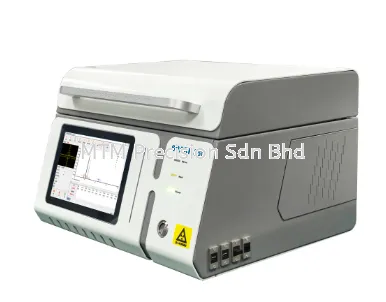
The NOYAFA NF-IPC715 CCTV Camera Tester belongs to the NOYAFA CCTV testing equipment range. Contractors evaluating this instrument for H.265 camera applications should verify its exact video decoding capabilities, supported protocols and firmware requirements against official manufacturer documentation.
This guide explains H.265 vs H.264, common video compatibility problems, NVR integration considerations and the limitations of portable CCTV testing equipment.
What Is H.265 in CCTV Camera Systems?
H.265, also known as High Efficiency Video Coding or HEVC, is a video compression standard used to encode digital video.
Video compression reduces the amount of data required to represent a video stream.
In CCTV systems, compression affects several important areas:
Network bandwidth requirements
Video storage requirements
Camera processing workload
Recording equipment compatibility
Video decoding requirements
Remote viewing performance
System integration
H.265 can provide better compression efficiency than H.264 under comparable conditions, but actual results depend on the video content, encoding configuration and equipment implementation.
H.265 support should not be confused with camera resolution or image quality.
H.265 vs H.264 for CCTV Installation
H.264 and H.265 are both widely recognised video compression standards.
Their differences can influence equipment selection and troubleshooting.
ComparisonH.264H.265Video codingEstablished compression standardNewer compression standardCompression efficiencyDepends on encoding settingsCan improve efficiency under suitable conditionsDecoder requirementsRequires compatible H.264 decodingRequires compatible H.265 decodingCCTV applicationNetwork surveillance videoNetwork surveillance videoDevice compatibilityMust be verifiedMust be verifiedStorage requirementsDepends on stream configurationMay reduce storage needs under comparable conditions
Neither compression format guarantees compatibility with every CCTV camera tester.
A tester that supports H.264 should not automatically be assumed to support H.265.
Why H.265 Compatibility Matters for CCTV Testers
A portable IP camera tester must support the relevant camera communication and video stream requirements to perform its intended functions.
An H.265 camera may be reachable through the network while its video cannot be displayed by a particular testing instrument.
This can happen when the tester does not support the selected video compression format or other stream characteristics.
Other compatibility factors may include:
Camera communication protocol
Video profile and encoding settings
Stream resolution
Authentication requirements
Firmware implementation
Network accessibility
Camera-specific configurations
Therefore, H.265 CCTV tester compatibility should be confirmed using the exact camera model and the tester's official specifications.
NOYAFA NF-IPC715 for H.265 IP Camera Applications
The NOYAFA NF-IPC715 is positioned within the NOYAFA CCTV camera testing product category.
When considering the instrument for H.265 surveillance projects, buyers should distinguish between general IP camera testing capabilities and verified H.265 video decoding support.
Important questions include:
Is H.265 decoding supported by the supplied NF-IPC715 version?
Which camera communication methods are supported?
Are there restrictions involving stream configuration?
Are firmware updates or additional configuration requirements involved?
Has compatibility with the intended camera model been verified?
These questions should be resolved through manufacturer documentation or supplier confirmation.
This article does not establish that every NF-IPC715 version supports every H.265 camera or video stream.
Understanding Video Streams in IP Camera Systems
Modern IP cameras may provide multiple video streams for different purposes.
Main Stream
A main stream is commonly configured for higher-quality video recording or monitoring.
Its actual resolution, compression format and other characteristics depend on the camera model and configuration.
Sub Stream
A secondary stream may be configured for lower-bandwidth monitoring or other applications.
The available stream settings vary between cameras.
Why Stream Differences Matter
A camera may use different encoding settings for its main and secondary streams.
A portable tester might be compatible with one selected stream but not another, depending on its documented capabilities.
Successful display of a secondary stream does not prove that the tester supports the camera's maximum-resolution main stream.
Similarly, failure to display one stream does not automatically indicate a camera fault.
Common H.265 IP Camera Problems
1. IP Camera Is Connected but No Video Appears
A camera may be accessible through the network without producing a viewable image on the selected device.
Possible causes include:
Unsupported compression format
Incompatible video profile
Authentication problems
Unsupported stream configuration
Network communication restrictions
Camera or tester configuration issues
A missing video image should not immediately be treated as camera hardware failure.
2. H.265 Camera Works on NVR but Not on Tester
A network video recorder and a portable CCTV tester may have different video decoding capabilities.
The NVR may support the selected H.265 stream while the tester does not.
Other factors, such as protocol implementation and authentication, may also affect compatibility.
3. H.265 Video Appears Unstable
Video instability may be associated with:
Network congestion
Insufficient decoding resources
Camera processing limitations
Transmission interruptions
Stream configuration
Firmware issues
The exact cause requires investigation of the relevant system components.
4. Video Recording Works but Live Preview Fails
Recording and live preview functions may rely on different software components, decoding paths or stream configurations.
A working recording does not guarantee that every monitoring device can decode the same video stream.
5. H.265 Camera Cannot Connect to Third-Party Equipment
Third-party compatibility depends on more than compression format alone.
Network protocols, authentication requirements, device firmware and supported services may influence whether two products can communicate.
H.265 and NVR Compatibility
A Network Video Recorder (NVR) is used to receive, manage and record video from compatible network cameras.
When planning an H.265 surveillance system, contractors should verify compatibility between the camera and the NVR.
Important considerations include:
Supported Video Compression
The NVR must support the relevant video coding requirements.
Camera Protocol
The camera and NVR must use compatible communication methods.
Recording Configuration
Recording settings should match the capabilities of the camera, recorder and storage infrastructure.
Playback Requirements
Recorded video must be compatible with the intended playback software or device.
Firmware Compatibility
Firmware differences may affect integration and available functions.
A portable CCTV tester can support selected diagnostic activities, but it should not be assumed to replace complete NVR compatibility testing.
H.265, ONVIF and IP Camera Compatibility
ONVIF is an interoperability framework used in IP-based security systems.
H.265 and ONVIF address different aspects of surveillance technology.
H.265 concerns video compression.
ONVIF concerns standardised interfaces and interoperability between compatible devices.
A camera may support H.265 without supporting the ONVIF services required by a particular application.
Similarly, an ONVIF-related feature does not automatically guarantee that a tester can decode every H.265 video stream.
For NOYAFA NF-IPC715 ONVIF and H.265 applications, buyers should verify both the communication requirements and the video decoding capabilities.
Applications of H.265 CCTV Testing in Malaysia
Factory Surveillance Systems
Factories may use network cameras to monitor entrances, production areas, loading zones and other operational spaces.
Maintenance technicians should consider camera compatibility, network infrastructure and recording requirements.
Warehouse CCTV Installation
Warehouse surveillance systems may contain multiple cameras distributed across storage and logistics areas.
Video compression settings can affect bandwidth and storage planning.
Commercial Building Security
Commercial developments may operate mixed CCTV systems involving cameras from different manufacturers.
System integrators should verify interoperability rather than relying solely on advertised compression support.
Retail CCTV Maintenance
Retail security systems may use cameras with different stream configurations.
Maintenance teams should identify whether a problem involves the camera, network, recorder or viewing equipment.
Data Centre Security Infrastructure
Data centres may require controlled maintenance procedures and strict network access policies.
Any testing activity should follow the facility's approved security and change-management requirements.
H.265 CCTV Testing vs General Network Testing
Different diagnostic tools address different parts of a surveillance system.
EquipmentPrimary Diagnostic AreaCCTV Camera TesterSupported camera inspection and video-related diagnosticsNetwork Cable TesterPhysical cable and connection faultsPoE TesterRelevant Ethernet power delivery conditionsNetwork Diagnostic ToolNetwork communication and configurationNVR Diagnostic ToolsRecorder integration and recording issues
A multifunction tester may combine selected capabilities.
However, support for network connectivity testing does not automatically establish H.265 video decoding support.
How to Choose an H.265 CCTV Camera Tester Malaysia
1. Verify H.265 Support
Request the official specification confirming the relevant video decoding capability.
2. Check the Camera Model
Identify the exact camera manufacturer, model and firmware.
3. Review Stream Requirements
Determine the compression format, resolution and other relevant video stream characteristics.
4. Confirm Communication Compatibility
Check the required network protocols and authentication methods.
5. Consider Maintenance Applications
Choose equipment according to whether the intended work involves installation, troubleshooting, commissioning or routine maintenance.
6. Assess Additional Testing Requirements
Determine whether separate network cable, PoE or other diagnostic equipment is necessary.
7. Choose Appropriate Supplier Support
A supplier should help clarify product specifications and the information needed for compatibility assessment.
NOYAFA NF-IPC715 vs Other NOYAFA CCTV Testers
Customers evaluating NOYAFA CCTV testers Malaysia may also compare:
NOYAFA NF-IPC716
NOYAFA NF-IPC722
NOYAFA NF-IPC728HSO
The comparison should focus on officially confirmed functions.
Important criteria include video compression support, camera interfaces, network-related capabilities, supported configurations and available accessories.
A higher model number should not be interpreted as proof of broader H.265 compatibility.
Limitations of H.265 IP Camera Testing
Portable CCTV testing instruments have practical and technical limitations.
These may include:
Unsupported video coding formats
Unsupported encoding profiles
Resolution restrictions
Firmware compatibility differences
Authentication limitations
Camera-specific protocol behaviour
Network access restrictions
Limited video analysis functions
A successful video preview does not establish that every camera feature, recording function or security setting is operating correctly.
Likewise, failure to display video on a tester does not conclusively prove that the camera is defective.
Professional troubleshooting may require additional diagnostic tools and manufacturer-specific software.
Frequently Asked Questions - H.265 IP Camera Testing Malaysia
1. What is H.265 in CCTV cameras?
H.265 is a video compression standard used to encode digital video, including surveillance footage.
2. What is the difference between H.265 and H.264?
H.265 can provide improved compression efficiency under comparable conditions, but the actual benefit depends on implementation and video settings.
3. Does NOYAFA NF-IPC715 support H.265 cameras?
The exact H.265 capabilities of the supplied NF-IPC715 version must be confirmed using official manufacturer documentation.
4. Can an H.264 CCTV tester display H.265 video?
Not unless the tester also supports the relevant H.265 decoding requirements or another compatible video stream is available.
5. Why does an H.265 camera work on an NVR but not on a tester?
The NVR and tester may differ in supported video formats, protocols, stream configurations or authentication capabilities.
6. Does ONVIF support guarantee H.265 compatibility?
No. ONVIF interoperability and H.265 video decoding are separate compatibility considerations.
7. Can NF-IPC715 test Hikvision H.265 cameras?
Compatibility with a particular Hikvision camera requires verification of the camera model, stream settings, firmware and tester capabilities.
8. Can NF-IPC715 test Dahua H.265 cameras?
Compatibility depends on the exact Dahua camera and the NF-IPC715's documented functions. Universal compatibility should not be assumed.
9. Does H.265 always reduce CCTV storage requirements?
H.265 may reduce storage needs under comparable conditions, but actual storage consumption depends on encoding settings, video content and recording configuration.
10. Can H.265 cause a missing CCTV image?
An unsupported H.265 stream may prevent a device from displaying video, although missing images can also have other causes.
11. Is H.265 necessary for every CCTV installation?
No. The appropriate video format depends on equipment compatibility, bandwidth, storage and project requirements.
12. Where can I enquire about NOYAFA NF-IPC715 in Malaysia?
Contact MTM Precision Sdn Bhd for product enquiries, availability confirmation and assistance evaluating CCTV testing equipment.
Contact MTM Precision - H.265 CCTV Testing Equipment Malaysia
Looking for a NOYAFA NF-IPC715 CCTV Camera Tester Malaysia or suitable equipment for H.265 IP camera installation and maintenance?
MTM Precision Sdn Bhd supplies professional testing and measuring instruments for CCTV contractors, network technicians, security system integrators and industrial maintenance teams.
Send our team your camera model, video compression requirements and intended testing applications.
We can assist with reviewing suitable equipment options and clarifying the documentation required for compatibility assessment.
MTM Precision Sdn Bhd
Address: No. 29-1 & 29-2, Jalan Bandar 18, Pusat Bandar Puchong, 47160 Puchong, Selangor, Malaysia.
WhatsApp / Mobile: +6016-660 7346
Email: mtmpre@yahoo.com
Office Tel: +603-80807172
Website: www.mtmpre.com.my
SEO Meta Description
Explore H.265 IP camera testing Malaysia with NOYAFA NF-IPC715, H.265 vs H.264, NVR compatibility, video troubleshooting and tester limitations.
Internal Linking Suggestions
NOYAFA NF-IPC715 CCTV Camera Tester for Security Installers Malaysia
How to Test IP Cameras with NOYAFA NF-IPC715 Malaysia
How to Test 4K CCTV Cameras with NF-IPC715 Malaysia
How to Test AHD, TVI and CVI Cameras with NF-IPC715 Malaysia
How to Use PoE Output on NOYAFA NF-IPC715 Malaysia
How to Troubleshoot CCTV Camera No Image with NF-IPC715 Malaysia
How to Find IP Camera Address with NOYAFA NF-IPC715 Malaysia
NOYAFA NF-IPC715 ONVIF Camera Testing Guide Malaysia
IP Camera Not Connecting? Troubleshooting with NF-IPC715 Malaysia
Which NOYAFA CCTV Tester Should You Choose Malaysia
Add internal links using verified published page URLs only. Do not link to unpublished article drafts.
07 Nov 2026


