






NOYAFA NF-858C Troubleshooting FAQ Malaysia - Common Network Cable Problems

NOYAFA NF-858C Troubleshooting FAQ Malaysia - Common Network Cable Problems
Network Cable Faults, RJ45 Problems, Cable Tracing, PoE and CCTV Troubleshooting Guide
Network Cable Troubleshooting Malaysia is an important maintenance topic for IT contractors, network installation technicians, CCTV installers and industrial maintenance teams.
Network communication problems can affect office computers, IP cameras, wireless access points, communication equipment and other connected devices.
When a network connection fails, the cause is not always the cable itself.
Possible issues may involve physical cabling, connectors, power delivery, network equipment, configuration settings or environmental conditions.
Choosing suitable Network Cable Testing Equipment Malaysia can support selected physical cabling investigations.
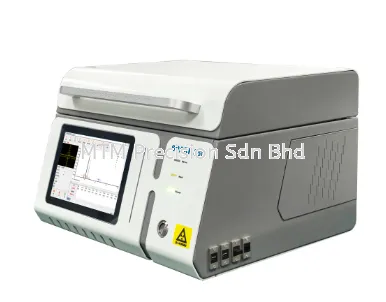
The NOYAFA NF-858C Multifunction Cable Tester is a communication cable testing instrument that buyers may consider when evaluating equipment for supported network maintenance applications.
However, its exact testing functions, supported cable types, measurement capabilities and operating limitations must be confirmed using current official manufacturer documentation.
This guide explains common network cable problems, troubleshooting considerations, testing limitations and purchasing requirements.
MTM Precision Sdn Bhd supplies professional testing instruments in Malaysia and welcomes enquiries from IT contractors, CCTV installers and maintenance teams.
Why Network Cable Problems Occur
Network Cable Faults may arise from different physical and operational conditions.
Common contributing factors include:
Damaged communication cables
Deteriorated connectors
Incorrect cable termination
Mechanical stress
Cable routing problems
Environmental exposure
Equipment connection problems
Network configuration issues
Power delivery problems
Incomplete infrastructure documentation
A network communication problem should not automatically be attributed to a damaged cable.
Different causes require different diagnostic methods.
A cable tester may support selected physical cabling investigations, but it does not replace complete network diagnostics.
Problem 1 - RJ45 Network Cable Not Working
RJ45 Cable Not Working is a common troubleshooting search topic.
An Ethernet connection may fail for several reasons.
Possible contributing factors include:
Connector Problems
A connector may be damaged, deteriorated or incorrectly terminated.
Cable Damage
Physical stress may affect the communication cable.
Network Equipment Problems
The connected switch, router or other equipment may have a fault.
Configuration Problems
Network settings may prevent communication.
Power Problems
Connected equipment may not receive the required power.
Infrastructure Changes
Recent modifications may affect network connections.
A suitable RJ45 cable tester may support selected physical cabling investigations.
However, a basic wiring check does not establish complete Ethernet performance.
The NF-858C's exact RJ45 testing functions require manufacturer confirmation.
Problem 2 - Intermittent Network Connection
Intermittent Network Connection Problems can be difficult to investigate because the symptoms may not occur continuously.
Possible contributing factors include:
Loose or deteriorated connections
Physical cable damage
Mechanical movement
Environmental conditions
Network equipment problems
Power delivery issues
Configuration-related behaviour
An intermittent connection does not automatically indicate a cable fault.
A cable tester may provide selected information about physical cabling, depending on its verified functions.
Other diagnostic equipment may be necessary when the problem involves network performance or connected devices.
Problem 3 - Network Cable Cannot Be Identified
Network Cable Identification Problems may occur when communication cables are not clearly labelled.
This situation is common in installations where infrastructure has been modified over time.
Potential challenges include:
Incomplete cable labels
Unclear patch panel records
Multiple similar-looking cables
Changes made without documentation
Complex cable routing
Shared communication cabinets
A suitable Cable Tracing Instrument may support selected cable identification tasks.
However, cable tracing performance depends on the instrument's capabilities and the installation conditions.
Cable tracing does not automatically establish cable integrity or network performance.
Customers considering the NF-858C for cable identification should verify the exact supported functions and operating restrictions.
Problem 4 - Network Cable Tracing Results Are Unclear
Cable Tracing Problems may involve difficulty identifying a particular communication cable.
Possible contributing factors include:
Complex cable routing
Nearby communication cables
Installation conditions
Inappropriate equipment selection
Unsupported cable types
Operating restrictions
Environmental interference
An unclear tracing result should not automatically be interpreted as an instrument defect.
The intended application must be compared with the manufacturer's documented capabilities.
Different cable identification methods may be required for different installations.
Problem 5 - PoE Device Not Powering On
PoE Troubleshooting Malaysia is relevant to IP cameras, wireless access points, VoIP telephones and other compatible network-connected devices.
When a PoE device does not power on, possible causes include:
Power Source Problems
The supplying equipment may not provide suitable power.
Power Budget Limitations
The total power requirements of connected devices may exceed the available capacity.
Cable Problems
Physical cabling may affect power delivery.
Device Compatibility
The connected equipment may have specific power requirements.
Equipment Faults
The powered device or supplying equipment may have a problem.
Configuration Issues
Some power-related behaviour may depend on equipment settings.
A suitable PoE testing instrument may provide selected power-related information.
However, PoE checking does not automatically identify every power delivery problem.
The NF-858C should not be assumed to support particular PoE standards, voltage measurements, power measurements or load testing without official manufacturer confirmation.
Problem 6 - CCTV IP Camera Offline
CCTV Camera Offline Troubleshooting is relevant to security system installers and maintenance contractors.
An IP camera may become unavailable for several reasons.
Possible contributing factors include:
Ethernet cabling problems
Connector deterioration
Power delivery issues
Network equipment faults
Camera equipment problems
Network configuration changes
Communication infrastructure problems
A network cable tester may support selected physical cabling investigations.
However, complete CCTV diagnostics may require dedicated equipment.
The NF-858C should not be assumed capable of camera configuration, video analysis, ONVIF testing or compatibility with specific camera brands without manufacturer confirmation.
Problem 7 - CCTV Network Connection Is Unstable
CCTV Network Connection Problems may involve intermittent camera availability or communication interruptions.
Possible contributing factors include:
Physical cabling problems
Network equipment condition
Power delivery
Environmental exposure
Camera equipment
Configuration-related issues
Not every CCTV connection problem is caused by the Ethernet cable.
A suitable cable tester may support selected physical cabling checks.
Additional diagnostic tools may be necessary when the issue involves network performance, camera operation or configuration.
Problem 8 - Network Cable Length Information Is Needed
Network Cable Length Measurement may be relevant during installation planning and maintenance.
However, different instruments may provide different types of measurement information.
Cable length measurement and fault distance estimation are not necessarily equivalent functions.
Before selecting equipment, technicians should determine:
Whether cable length information is required
Which cable types are involved
Whether fault distance information is necessary
What measurement accuracy is required
Which operating conditions apply
The NF-858C should not be assumed to provide a particular measurement function, range or accuracy without verified manufacturer documentation.
Problem 9 - Suspected Cable Damage Inside a Building
Network Cable Damage Troubleshooting may involve communication cabling installed within walls, ceilings, conduits or other building infrastructure.
Possible contributing factors include:
Mechanical stress
Renovation work
Cable routing conditions
Environmental exposure
Connector deterioration
Installation-related problems
The location and nature of a suspected fault may not be identifiable using a basic cable tester.
Different diagnostic methods may be necessary.
Contractors should avoid assuming that a particular instrument can locate every cable fault.
Problem 10 - Network Cabinet Connections Are Confusing
Network Cabinet Troubleshooting may become difficult when cabling documentation is incomplete.
Potential problems include:
Unclear port identification
Missing cable labels
Inconsistent documentation
Unrecorded infrastructure changes
Complex patch panel arrangements
Difficult maintenance access
Accurate documentation is important for ongoing maintenance.
A suitable cable identification instrument may support selected physical connection investigations.
However, cable identification does not replace infrastructure documentation or network configuration management.
Problem 11 - Fiber Optic Network Connection Problem
Fiber Optic Troubleshooting Malaysia requires consideration of optical communication infrastructure.
Possible contributing factors include:
Connector condition
Physical fiber damage
Optical power problems
Installation conditions
Equipment compatibility
Network equipment faults
Different optical diagnostic requirements may involve different instruments.
Examples include:
Visual Fault Locator
May support selected visual fault identification tasks within its documented limitations.
Optical Power Meter
Used for appropriate optical power measurements.
Optical Light Source
May be used with suitable equipment for selected optical testing applications.
Optical Loss Test Set
Used for appropriate optical loss testing.
Optical Time-Domain Reflectometer
Provides information for supported fiber optic analysis applications.
Customers should not assume that the NF-858C includes any particular optical testing function without official manufacturer confirmation.
A multifunction network cable tester should not automatically be considered a replacement for dedicated optical measurement equipment.
Problem 12 - Network Cable Test Appears Normal but Communication Still Fails
Network Cable Test Pass but No Connection is an important troubleshooting topic.
A basic physical cable check may not reveal every possible communication problem.
Possible causes may involve:
Network equipment faults
Configuration problems
Power delivery issues
Communication performance
Intermittent conditions
Unsupported diagnostic requirements
A cable tester may provide information only within its verified capabilities.
A normal result from one type of test does not establish that the entire network is functioning correctly.
Additional diagnostics may be necessary.
Understanding False Positive and False Negative Test Results
Network Cable Tester False Results can be a concern when technicians interpret diagnostic information.
A false positive generally refers to a result that incorrectly indicates a condition is present.
A false negative generally refers to a result that incorrectly indicates a condition is absent.
In practical maintenance work, unexpected results may arise from:
Unsupported applications
Incorrect assumptions about the instrument
Installation conditions
Environmental factors
Equipment limitations
Interpretation errors
Problems outside the instrument's diagnostic scope
No particular false result behaviour is claimed for the NF-858C.
Technicians should interpret results according to the manufacturer's documentation and the intended application.
Network Cable Testing vs Network Performance Troubleshooting
Network Cable Testing focuses on selected physical characteristics of communication cabling.
Network Performance Troubleshooting may involve evaluating:
Communication speed
Throughput
Latency
Packet transmission
Network equipment behaviour
Configuration-related issues
A basic wiring check does not establish complete network performance.
Similarly, network connectivity alone does not prove structured cabling certification compliance.
Contractors should select equipment according to the actual diagnostic requirements.
Network Cable Tester vs Structured Cabling Certification Tester
A Network Cable Tester may support selected physical cabling investigations.
A Structured Cabling Certification Tester is intended for formal cabling measurements under applicable requirements.
These instruments serve different purposes.
For projects requiring documented certification results, contractors should identify suitable certification equipment and applicable standards.
The NF-858C should not be represented as a formal cabling certification instrument without explicit manufacturer documentation.
Network Troubleshooting for IT Contractors Malaysia
IT Maintenance Contractors Malaysia may investigate network problems across multiple customer sites.
Typical environments include:
Office Networks
Network outlets, communication cabinets and connected business equipment.
Commercial Buildings
Communication infrastructure supporting different business operations.
Warehouses
Network connections associated with operational systems.
Educational Facilities
Communication networks serving administration and learning environments.
Industrial Facilities
Communication infrastructure operating in potentially challenging environments.
Different applications may require different diagnostic equipment.
The NF-858C should only be considered for tasks within its manufacturer-confirmed capabilities.
Network Troubleshooting for Johor Contractors
Network Troubleshooting Johor may involve commercial and industrial communication infrastructure.
Relevant locations include:
Johor Bahru
Iskandar Puteri
Pasir Gudang
Senai
Kulai
Contractors should consider the installed cable types, required diagnostic information and operating environment.
This article does not claim specific customer projects or completed work in Johor.
Network Troubleshooting for Penang Contractors
Network Troubleshooting Penang may involve office networks, industrial communication infrastructure and CCTV cabling.
Relevant locations include:
George Town
Bayan Lepas
Batu Kawan
Perai
Butterworth
The appropriate testing equipment depends on the actual maintenance requirements.
This article does not claim specific customer projects or completed work in Penang.
Network Troubleshooting for Kuala Lumpur and Selangor
Network Troubleshooting Kuala Lumpur and IT Maintenance Selangor are relevant to contractors supporting commercial communication infrastructure.
Relevant locations include:
Puchong
Petaling Jaya
Shah Alam
Subang Jaya
Klang
Cyberjaya
Kuala Lumpur
Customers may contact MTM Precision Sdn Bhd in Puchong for product information and quotation enquiries.
Product availability, technical functions and demonstration arrangements should be confirmed directly.
Network Troubleshooting Assessment Checklist
Before selecting diagnostic equipment, technicians should consider the following questions.
1. What Is the Reported Problem?
Identify the communication symptoms.
2. Which Equipment Is Affected?
Determine whether the issue involves a network outlet, camera, switch or other device.
3. Which Cable Types Are Installed?
Confirm the communication cabling involved.
4. Is the Problem Continuous or Intermittent?
Different symptoms may require different diagnostic methods.
5. Is PoE Equipment Involved?
Identify the relevant power delivery requirements.
6. Is Cable Identification Necessary?
Determine whether physical connection tracing is required.
7. Are Fiber Optic Connections Involved?
Consider whether specialised optical instruments are necessary.
8. What Testing Information Is Required?
Distinguish wiring checks, cable identification and other measurements.
9. What Safety Restrictions Apply?
Review manufacturer instructions and workplace procedures.
10. Does the Selected Instrument Support the Application?
Confirm the instrument's verified capabilities before use.
This checklist supports maintenance planning and does not constitute a model-specific operating procedure.
NOYAFA NF-858C vs Other NOYAFA Network Cable Testers
Customers researching the NOYAFA NF-858C Malaysia may also consider:
NOYAFA NF-8209 Pro
NOYAFA NF-8506
NOYAFA NF-859GS
NOYAFA NF-918S
A useful comparison should consider:
Supported cable types
Manufacturer-confirmed testing functions
Cable identification requirements
Available measurements
PoE-related capabilities
Included accessories
Operating limitations
Intended maintenance applications
Technical differences should be confirmed using current official manufacturer documentation.
No model should be considered universally superior without evaluating verified suitability.
Buying Guide for Network Troubleshooting Equipment Malaysia
When selecting Network Troubleshooting Equipment Malaysia, consider several factors.
Application Suitability
Choose equipment according to the actual maintenance requirements.
Verified Technical Functions
Use current official manufacturer documentation.
Supported Cable Types
Confirm compatibility with the installed cabling.
Diagnostic Limitations
Understand what the instrument can and cannot establish.
Supplied Accessories
Review the exact product configuration.
Safety Requirements
Follow manufacturer-stated operating restrictions.
Supplier Support
Choose a supplier able to assist with product information and quotations.
Future Maintenance Needs
Consider whether additional specialised instruments may be necessary.
A purchasing decision should be based on verified suitability rather than unconfirmed product descriptions.
Safety and Limitations
Network troubleshooting equipment must be used within its intended operating conditions.
Important considerations include:
Not every cable tester supports every network cable type.
Basic cable testing does not establish complete network performance.
Cable tracing does not automatically identify every cable fault.
PoE checking does not replace complete power delivery analysis.
Network connectivity does not establish cabling certification.
Connected equipment may introduce testing restrictions.
Cable testing does not replace electrical safety verification.
Industrial environments may require specialised equipment.
Some network problems require configuration or software diagnostics.
Manufacturer safety instructions take priority over general product descriptions.
Technicians should follow official manufacturer instructions and applicable workplace safety procedures.
Frequently Asked Questions (FAQ)
1. What is the NOYAFA NF-858C?
The NOYAFA NF-858C is a multifunction communication cable testing instrument for supported cabling applications.
2. Can the NF-858C identify network cable faults?
Its ability to identify particular fault conditions must be verified using current official manufacturer documentation.
3. Can the NF-858C test RJ45 network cables?
Buyers should confirm the exact supported RJ45 testing functions using current manufacturer documentation.
4. Can the NF-858C identify an unknown network cable?
The availability and limitations of cable identification functions should be verified against official product information.
5. Why might a network cable stop working?
Possible causes include physical cable damage, connector problems, equipment faults, power delivery issues or configuration problems.
6. Why might a network connection be intermittent?
Intermittent problems may involve physical connections, equipment condition, environmental factors or network configuration.
7. Can the NF-858C troubleshoot PoE problems?
The exact PoE-related functions and operating limitations must be confirmed before selecting it for such applications.
8. Can the NF-858C troubleshoot an offline IP camera?
It may be considered for supported physical cabling investigations, but complete camera diagnostics may require additional equipment.
9. Can the NF-858C measure network cable length?
Cable length measurement capability and its limitations should be confirmed against official manufacturer documentation.
10. Can the NF-858C locate a damaged cable?
The availability and limitations of any fault-location functions must be verified using official product information.
11. Can the NF-858C test fiber optic cables?
Optical testing functions should not be assumed without explicit manufacturer confirmation.
12. Why can a network connection fail even when a cable test appears normal?
The problem may involve network equipment, configuration, power delivery or conditions outside the scope of the test performed.
13. Can the NF-858C certify Ethernet cabling?
Formal structured cabling certification capability should not be assumed without explicit manufacturer documentation.
14. Where can I enquire about the NF-858C in Malaysia?
Contact MTM Precision Sdn Bhd in Puchong, Selangor, for product information and quotation enquiries.
15. What information should I provide when requesting a network cable tester?
Provide the cable type, reported problem, intended application, required diagnostic information, installation environment and quantity.
Contact MTM Precision Sdn Bhd
For NOYAFA NF-858C Troubleshooting FAQ Malaysia product enquiries and quotations, contact:
MTM Precision Sdn Bhd
WhatsApp / Mobile: +6016-660 7346
Email: mtmpre@yahoo.com
Office Tel: +603-80807172
Website: www.mtmpre.com.my
Address:
No. 29-1 & 29-2, Jalan Bandar 18, Pusat Bandar Puchong, 47160 Puchong, Selangor, Malaysia.
Contact MTM Precision for network cable testing equipment, RJ45 cable testers, cable tracing instruments, PoE testing equipment and professional testing instrument enquiries.
SEO Meta Description
NOYAFA NF-858C troubleshooting FAQ Malaysia. Learn about RJ45 cable faults, tracing limitations, PoE problems, CCTV connections, test results and safety.
Internal Linking
Recommended related articles for the MTM Precision website:
NOYAFA NF-858C Multifunction Cable Tester Malaysia
NOYAFA NF-858C Cable Tracing Guide Malaysia
NOYAFA NF-858C RJ45 Network Cable Testing Malaysia
NOYAFA NF-858C Cable Length Measurement Guide Malaysia
NOYAFA NF-858C PoE Checking Guide Malaysia
NOYAFA NF-858C for CCTV Installation Malaysia
NOYAFA NF-858C BNC Cable Testing Malaysia
NOYAFA NF-858C Fiber Optic VFL Guide Malaysia
NOYAFA NF-858C Network Troubleshooting Malaysia
NOYAFA NF-858C for IT Maintenance Contractors Malaysia
NOYAFA NF-858C vs NF-8209 Pro Malaysia
NOYAFA NF-858C vs NF-8506 Malaysia
NOYAFA NF-858C for Johor Network Contractors Malaysia
NOYAFA NF-858C for Penang IT Maintenance Malaysia
NOYAFA NF-858C for Selangor and Kuala Lumpur Network Maintenance Malaysia
NOYAFA NF-858C for Data Centre Network Cabling Malaysia
NOYAFA NF-858C Network Cable Tester Buying Guide Malaysia
NOYAFA NF-8506 Network Cable Tester Malaysia
NOYAFA NF-8209 Pro Network Cable Tester Malaysia
Complete Guide to NOYAFA NF-858C Malaysia
Use actual verified website URLs when implementing internal links. Planned article titles must not be represented as published pages until publication has been confirmed.
11 Nov 2026


