






How to Troubleshoot PoE Camera Not Working Malaysia - NOYAFA NF-8504

How to Troubleshoot PoE Camera Not Working Malaysia - NOYAFA NF-8504
Introduction
A PoE Camera Not Working is a common troubleshooting concern for CCTV installers, security system contractors and IT maintenance technicians.
Modern IP CCTV systems frequently use Power over Ethernet (PoE) to deliver electrical power to compatible cameras through Ethernet cabling.
When a PoE camera stops working, the cause may involve the camera, network cable, PoE switch, power delivery arrangement or network configuration.
An offline camera does not automatically indicate a defective Ethernet cable.
Similarly, a network connection problem does not necessarily mean the camera is receiving insufficient electrical power.
For technicians searching for How to Troubleshoot PoE Camera Not Working Malaysia, understanding the different possible causes is important before selecting diagnostic equipment.
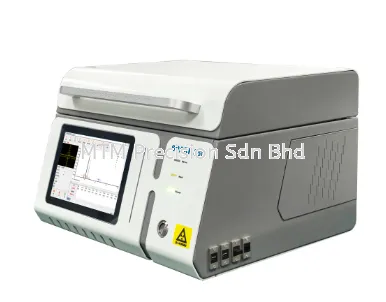
The NOYAFA NF-8504 Network Cable Tester is a model customers may consider when evaluating equipment for selected Ethernet cabling and PoE-related maintenance applications.
However, its actual testing functions, supported PoE conditions and limitations must be confirmed against current official manufacturer documentation.
This guide explains common reasons why PoE cameras stop working, how different fault categories affect CCTV systems and what to consider when selecting suitable network testing equipment.
MTM Precision Sdn Bhd supplies testing and measuring instruments to customers across Malaysia, including Selangor, Kuala Lumpur, Johor and Penang.
1. Why Is My PoE Camera Not Working?
A PoE Camera Not Working may result from several different conditions.
Common possibilities include:
Damaged Ethernet cabling
Incorrect RJ45 termination
Insufficient available PoE power
PoE switch problems
Camera hardware faults
Network configuration problems
Connection interruptions
Equipment compatibility issues
Environmental or installation-related problems
These problems may produce similar symptoms.
For example, a camera that does not appear in the recording system may have a network communication problem rather than a complete power failure.
A suitable troubleshooting approach should distinguish physical cabling, power delivery and network communication concerns.
2. Understanding How PoE CCTV Systems Work
Power over Ethernet allows compatible network devices to receive electrical power through Ethernet cabling.
In a typical compatible IP CCTV installation, a PoE-capable power source supplies power to a supported camera.
The camera also communicates with the network through its Ethernet connection.
However, the electrical power delivery and network communication aspects of the installation involve different requirements.
A camera may experience problems involving either aspect.
Important components may include:
IP camera
Ethernet cable
RJ45 connectors
PoE switch or injector
Network equipment
Recording system
Other supporting infrastructure
The specific arrangement depends on the CCTV system design.
3. PoE Camera Offline vs PoE Camera No Power
IP Camera Offline and PoE Camera No Power describe different possible conditions.
An offline camera may not be communicating successfully with the network or recording system.
A camera with no power may be unable to operate because its electrical supply is unavailable or unsuitable.
However, these conditions can appear similar to users.
SymptomPossible Areas to InvestigateCamera appears offlineNetwork connection, configuration, camera or recording systemCamera appears unpoweredPoE source, available power, cable or cameraCamera disconnects intermittentlyCable condition, equipment, power or network stabilityCamera cannot be discoveredNetwork configuration, connectivity or equipmentCamera stops after installation changesCabling, equipment configuration or power arrangement
These are possible causes rather than confirmed diagnoses.
A suitable investigation may require more than one category of testing equipment.
4. Ethernet Cable Problems Affecting PoE Cameras
Ethernet Cable Faults can affect compatible IP CCTV installations.
Cables may become damaged during installation, maintenance or normal service.
Potential problems include:
Physical cable damage
Incorrect termination
Damaged RJ45 connectors
Unintended conductor connections
Interrupted conductors
Other cable defects
The exact impact depends on the cable condition and connected equipment.
A suitable network cable tester may help investigate selected physical connection problems.
However, not every tester can identify every cable fault or determine its precise location.
5. RJ45 Connector Problems
RJ45 Connector Problems are relevant to CCTV network troubleshooting.
Connectors may be affected by installation quality, mechanical stress or environmental conditions.
Potential concerns include:
Poor termination
Physical connector damage
Loose connections
Inconsistent contact
Other connection defects
A damaged or unsuitable connector may interfere with network communication or compatible PoE operation.
However, the presence of an RJ45 connector does not establish the complete condition of the cable or connected equipment.
A basic physical connection assessment should not be confused with formal cabling performance certification.
6. PoE Switch Problems
A PoE Switch supplies electrical power to compatible powered devices while supporting network connectivity.
Potential problems may involve:
Equipment faults
Port-related limitations
Insufficient available power
Unsupported device requirements
Network configuration
Other operating conditions
A PoE switch with multiple ports does not automatically have sufficient power capacity for every possible connected device arrangement.
Technicians should refer to the switch manufacturer's documentation when assessing compatibility and power requirements.
A network cable tester does not replace comprehensive switch diagnostics.
7. Understanding PoE Power Budget Problems
A PoE Power Budget describes the amount of power available for connected devices within the applicable equipment limits.
A switch may have several PoE-capable ports while sharing an overall power budget.
The available power may not be sufficient for every connected device combination.
Relevant considerations include:
Number of powered devices
Individual device power requirements
Overall switch power capacity
Per-port limitations
Operating conditions
Manufacturer specifications
An insufficient power budget may contribute to device operating problems.
However, it should not be assumed to be the cause of every offline camera.
8. PoE af vs at vs bt Compatibility
Three commonly discussed Power over Ethernet standards are:
IEEE 802.3af
An established standard associated with standardised PoE power delivery.
IEEE 802.3at
Commonly associated with PoE+, providing higher power delivery capabilities than the original IEEE 802.3af standard.
IEEE 802.3bt
A higher-power PoE standard with additional power delivery types and classes.
Different cameras may have different power requirements.
A camera should not be assumed to support every PoE standard simply because it has an Ethernet connector.
Likewise, a PoE switch or tester should not automatically be assumed to support every PoE operating mode.
Compatibility should be verified from current manufacturer documentation.
9. Network Configuration Problems
IP Camera Network Configuration can affect whether a camera communicates with other network equipment.
Potential concerns include:
IP addressing
Network segmentation
Switch configuration
Recording system settings
Device discovery
Other communication requirements
A camera may receive electrical power while remaining unavailable to the recording system.
Therefore, physical cable testing alone may not identify the cause.
Network configuration problems may require appropriate network management tools and qualified technical assessment.
10. IP Camera Hardware Problems
A PoE Camera Not Working may also result from a fault within the camera itself.
Potential concerns include:
Internal equipment faults
Connector damage
Environmental deterioration
Other hardware-related problems
A network cable tester cannot independently establish the condition of every internal camera component.
A camera that remains unavailable despite apparently suitable cabling may require additional equipment assessment.
The appropriate service approach depends on the camera manufacturer and warranty conditions.
11. Intermittent PoE Camera Connection
An Intermittent PoE Camera Connection may involve several possible causes.
These include:
Physical cable deterioration
Connector problems
Power delivery limitations
Network equipment instability
Environmental conditions
Camera faults
Network configuration
Intermittent problems may be more difficult to investigate than a complete connection failure.
A single successful cable check does not guarantee that the entire system will remain stable under every operating condition.
Suitable testing equipment and technical assessment should be selected according to the suspected problem.
12. PoE Camera Works but No Video Appears
A camera may appear powered while its video is unavailable.
This does not automatically indicate a PoE power failure.
Possible areas of concern include:
Network communication
Camera configuration
Recording equipment
Video stream settings
Equipment compatibility
Other system conditions
A general network cable tester may support selected physical cabling checks.
However, it should not automatically be assumed to provide video stream diagnosis or camera configuration functions.
Specialised CCTV diagnostic equipment may be required.
13. PoE Camera Not Detected by NVR
An IP Camera Not Detected by NVR may be caused by different network or equipment conditions.
Potential factors include:
Physical connection problems
Network addressing
Equipment compatibility
Camera configuration
Recording system settings
Power delivery concerns
The exact cause depends on the installation.
A cable tester may contribute to investigating physical cabling conditions but does not replace full NVR and camera diagnostics.
Compatibility between cameras and recording systems should be verified through the relevant manufacturers' documentation.
14. NOYAFA NF-8504 for PoE Camera Troubleshooting
The NOYAFA NF-8504 Network Cable Tester is a model that customers may consider for selected Ethernet cabling and PoE-related maintenance applications.
Potential application areas include:
CCTV Ethernet cabling assessment
RJ45 connection investigations
Network cable maintenance
Physical connection troubleshooting
Selected PoE-related investigations
However, the NF-8504 should not automatically be assumed to provide every function required for PoE camera troubleshooting.
Its exact supported functions, cable compatibility, PoE operating conditions and limitations should be verified against current manufacturer documentation.
The NF-8504 should not be represented as a complete IP camera diagnostic instrument without specific manufacturer evidence.
15. Network Cable Tester vs CCTV Tester
A Network Cable Tester and a Dedicated CCTV Tester may serve different purposes.
A network cable tester generally focuses on supported physical cabling and related network conditions.
A dedicated CCTV tester may be designed for selected camera installation and diagnostic applications.
However, capabilities vary between models.
Testing RequirementNetwork Cable TesterDedicated CCTV TesterEthernet cable assessmentModel dependentModel dependentRJ45 connection assessmentModel dependentModel dependentPoE-related assessmentModel dependentModel dependentIP camera video displayNot assumedModel dependentCamera configurationNot assumedModel dependentFormal cable certificationNot assumedNot assumed
Customers should select equipment according to their actual diagnostic requirements.
16. Basic RJ45 Tester vs Multifunction Network Tester
A Basic RJ45 Cable Tester may be sufficient for selected conductor connection checks.
Other network testing instruments may offer additional manufacturer-confirmed capabilities.
However, the term "multifunction" does not establish which functions are included.
Potential selection considerations include:
Cable continuity requirements
Wiremap assessment
Cable length information
PoE-related assessment
Port identification
Operating limitations
The appropriate choice depends on the intended application and verified instrument capabilities.
17. PoE Camera Troubleshooting for Residential CCTV
Residential CCTV installations may contain a relatively small number of IP cameras.
Potential maintenance concerns include:
Offline cameras
Damaged Ethernet cables
RJ45 connection problems
Suspected PoE issues
Network configuration problems
A suitable cable tester may support selected physical cabling investigations.
However, additional diagnostic equipment may be necessary when the problem involves the camera, network equipment or recording system.
18. PoE Camera Troubleshooting for Commercial Buildings
Commercial CCTV installations may involve multiple cameras, network switches and cable routes.
Potential maintenance applications include:
Office CCTV systems
Retail security networks
Warehouse surveillance
Commercial building security
Network cabinet maintenance
Larger installations may involve more complex power and network requirements.
Suitable testing equipment should be selected according to the installation and suspected fault category.
A basic network cable tester does not replace comprehensive system diagnostics.
19. PoE Camera Troubleshooting for Industrial Facilities
Industrial CCTV systems may operate in environments with additional mechanical, electrical and environmental considerations.
Potential concerns include:
Cable damage
Connector deterioration
Equipment faults
Network communication problems
Environmental exposure
Power delivery limitations
Industrial installations may use specialised network infrastructure.
Compatibility with general-purpose Ethernet testing equipment should be verified.
The NF-8504 should not automatically be assumed to support every industrial network arrangement.
20. PoE Camera Troubleshooting Applications in Malaysia
Selangor CCTV Contractors
CCTV contractors in Selangor may encounter PoE camera problems during installation and maintenance of residential and commercial security systems.
Kuala Lumpur IT and Security Maintenance
IT technicians and security contractors in Kuala Lumpur may need suitable testing equipment for IP camera connectivity and physical network investigations.
Johor Commercial CCTV Installation
CCTV installers in Johor may encounter PoE-related concerns in commercial buildings, warehouses and selected industrial facilities.
Penang Industrial CCTV Maintenance
Maintenance teams in Penang may require suitable instruments for Ethernet-connected security systems in industrial and commercial environments.
MTM Precision welcomes enquiries from customers throughout Malaysia.
These examples describe potential applications and do not represent claims of completed local projects.
21. Common Mistakes When Troubleshooting PoE Cameras
Assuming Every Offline Camera Has a Cable Fault
An offline camera may have power, equipment or network configuration problems.
Assuming Every Camera Problem Is Caused by PoE
Not every CCTV fault involves electrical power delivery.
Ignoring the PoE Power Budget
The overall power capacity of a PoE switch may affect connected device operation.
Assuming All PoE Standards Are Identical
Different PoE standards define different power delivery capabilities.
Confusing Cable Testing with Camera Diagnosis
A network cable tester does not automatically provide complete camera diagnostics.
Ignoring Manufacturer Compatibility Requirements
Equipment compatibility should be verified before installation.
Treating a Basic Cable Test as Complete Network Diagnosis
Physical cable assessment does not establish every aspect of network operation.
22. How to Choose a PoE Network Tester Malaysia
Before purchasing a PoE Network Tester Malaysia, consider the following questions.
Intended Application
Will the instrument be used for CCTV installation, office IT maintenance or commercial network troubleshooting?
Required Testing Functions
Are physical cable assessment, PoE-related testing or other diagnostic functions required?
Supported PoE Conditions
Which IEEE PoE standards, types or operating modes are relevant to the connected equipment?
Cable Compatibility
Which Ethernet cable categories and connector arrangements are involved?
Manufacturer Documentation
Are the required functions and limitations officially confirmed?
Additional Diagnostic Equipment
Will camera configuration, video-related assessment or network management tools also be necessary?
Supplier Support
Can the supplier provide product information, quotations and warranty enquiries?
The best choice is the instrument whose verified capabilities match the actual maintenance requirements.
23. Safety Considerations for PoE Camera Troubleshooting
PoE installations involve electrical power delivered through network infrastructure.
Testing should follow the relevant manufacturers' instructions and applicable site safety procedures.
Important considerations include:
Avoiding unsupported electrical connections
Confirming the intended testing environment
Using equipment within specified operating limits
Following appropriate network maintenance procedures
Avoiding unnecessary disruption to active security systems
Referring complex electrical problems to qualified personnel
A network cable tester should not be treated as a substitute for electrical safety testing or comprehensive CCTV diagnostics.
24. NOYAFA NF-8504 Supplier Malaysia
Customers searching for NOYAFA NF-8504 Malaysia, PoE Network Tester Malaysia or CCTV Cable Tester Supplier Malaysia may contact MTM Precision Sdn Bhd.
MTM Precision supplies testing and measuring instruments for professional and technical applications.
Customers may enquire about:
NOYAFA NF-8504 product information
Ethernet cable testing requirements
PoE-related testing applications
CCTV network maintenance equipment
Manufacturer documentation
Alternative network testers
Product quotations
Availability confirmation
Warranty enquiries
Puchong showroom appointments
Product availability and demonstration arrangements should be confirmed in advance.
Frequently Asked Questions (FAQ)
1. Why is my PoE camera not working?
Possible causes include Ethernet cable problems, insufficient available power, PoE switch faults, camera hardware problems or network configuration issues.
2. Does an offline IP camera always mean the Ethernet cable is damaged?
No. An offline camera may have network configuration, equipment or power-related problems.
3. Can a PoE camera receive power but remain offline?
Yes. Power delivery and network communication involve different requirements.
4. What is a PoE power budget?
A PoE power budget describes the amount of power available for connected powered devices within the equipment's applicable limits.
5. Can insufficient PoE power affect an IP camera?
Insufficient available power may contribute to operating problems, depending on the camera and power source requirements.
6. What is the difference between PoE af, at and bt?
IEEE 802.3af, IEEE 802.3at and IEEE 802.3bt define different power delivery capabilities and associated requirements.
7. Can a damaged RJ45 connector affect a PoE camera?
Yes. Connector damage or poor termination may interfere with network communication or compatible power delivery.
8. Can the NOYAFA NF-8504 help with PoE camera troubleshooting?
It may be considered for selected compatible Ethernet cabling and PoE-related investigations, subject to manufacturer-confirmed capabilities.
9. Does the NF-8504 support every PoE standard?
Universal PoE compatibility should not be assumed. Customers should verify the supported standards and operating conditions.
10. Can the NF-8504 diagnose every IP camera problem?
No. Camera faults may involve equipment, software, network configuration or other conditions requiring additional diagnostics.
11. Can a basic RJ45 tester diagnose PoE power problems?
Not necessarily. Basic RJ45 testers may focus on physical conductor connection checks.
12. Why is my IP camera not detected by the NVR?
Possible causes include network configuration, equipment compatibility, physical cabling problems or other system conditions.
13. Can a network cable tester display IP camera video?
Video display should not be assumed. Customers should verify the specific instrument's manufacturer-confirmed functions.
14. Where can I enquire about NOYAFA NF-8504 in Malaysia?
Contact MTM Precision Sdn Bhd in Puchong, Selangor, for product information, quotations and availability enquiries.
15. Can MTM Precision help select a tester for PoE CCTV maintenance?
Customers may contact MTM Precision to discuss their applications and compare suitable instruments based on verified manufacturer information.
Conclusion
PoE Camera Not Working problems may involve physical cabling, power delivery, network configuration or camera hardware.
Understanding these different fault categories helps CCTV installers and IT maintenance technicians select appropriate diagnostic equipment.
A suitable Network Cable Tester may support selected Ethernet cabling and PoE-related investigations.
However, physical cable testing does not replace complete CCTV system diagnostics.
The NOYAFA NF-8504 Network Cable Tester may be considered for selected compatible applications, subject to its manufacturer-confirmed functions and limitations.
For customers searching for PoE Camera Troubleshooting Malaysia, NOYAFA NF-8504 Malaysia or CCTV Network Cable Tester Malaysia, MTM Precision Sdn Bhd welcomes enquiries.
Contact MTM Precision Sdn Bhd
For NOYAFA NF-8504 Malaysia, PoE Network Tester, CCTV Cable Tester and Ethernet Cable Testing Equipment, contact:
MTM Precision Sdn Bhd
WhatsApp / Mobile: +6016-6607346
Email: mtmpre@yahoo.com
Office Tel: +603-80807172
Website: https://www.mtmpre.com.my
Address:
No. 29-1 & 29-2, Jalan Bandar 18, Pusat Bandar Puchong, 47160 Puchong, Selangor, Malaysia.
Contact our team for product information, quotations, availability confirmation and warranty enquiries.
SEO Meta Description
PoE camera not working in Malaysia? Explore common IP camera faults, PoE switch power issues, RJ45 cable problems and NOYAFA NF-8504 tester selection.
Internal Linking
NOYAFA NF-8504 PoE Network Cable Tester for CCTV & Network Installation Malaysia - Article 1
How to Test PoE Camera Cable Malaysia - NOYAFA NF-8504 - Article 2
How to Check CAT6 Cable Continuity Malaysia - NOYAFA NF-8504 - Article 3
How to Measure Ethernet Cable Length Malaysia - NOYAFA NF-8504 - Article 4
How to Find a Broken Network Cable Malaysia - NOYAFA NF-8504 - Article 5
How to Identify a Network Switch Port Malaysia - NOYAFA NF-8504 - Article 6
PoE af vs at vs bt Explained Malaysia - Network Installer Guide - Article 7
Best Network Cable Tester for CCTV Installers Malaysia - Article 8
Network Cable Testing for Data Centre Maintenance Malaysia - Article 9
NOYAFA NF-8504 vs Basic RJ45 Cable Tester Malaysia - Article 10
NOYAFA NF-8504 vs NF-8506 Network Cable Tester Malaysia - Article 11
Add internal hyperlinks only after the relevant articles have been published and their actual website URLs have been verified.
14 Nov 2026


