






How to Test ONVIF IP Cameras Using a CCTV Monitor Tester Malaysia

How to Test ONVIF IP Cameras Using a CCTV Monitor Tester Malaysia
Introduction
ONVIF (Open Network Video Interface Forum) is the industry standard that allows IP cameras, network video recorders (NVRs), and video management systems from different manufacturers to communicate with each other. Most modern IP cameras support ONVIF, making it an essential feature for professional CCTV installations.
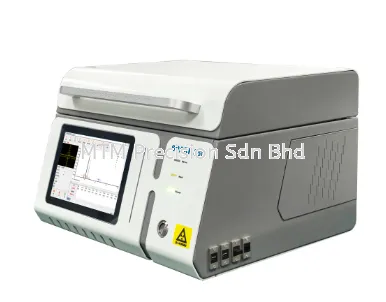
A NOYAFA CCTV Monitor Tester with ONVIF support enables installers to detect, configure, and test IP cameras quickly without using a laptop, reducing installation time and improving efficiency.
What is ONVIF?
ONVIF is an international standard that ensures compatibility between surveillance devices from different brands.
Benefits of ONVIF include:
Easy camera discovery
Cross-brand compatibility
Simplified camera configuration
Faster system integration
Flexible CCTV upgrades
This allows installers to work with multiple camera brands using one professional tester.
Why Test ONVIF Cameras?
Testing an ONVIF camera before connecting it to the NVR helps ensure:
The camera is powered correctly
Live video is working
Network communication is normal
IP address settings are correct
Camera resolution is as expected
PTZ functions operate properly (if supported)
Detecting problems early reduces installation delays and unnecessary site visits.
Steps to Test an ONVIF IP Camera
Using a NOYAFA CCTV Monitor Tester is straightforward:
Step 1 – Connect the Camera
Use the tester's built-in PoE output or connect the camera through a network switch.
Step 2 – Scan the Network
Use the network discovery function to locate available ONVIF devices.
Step 3 – Select the Camera
Choose the detected camera from the device list.
Step 4 – Verify Live Video
Check the live image, focus, brightness, and viewing angle directly on the tester's screen.
Step 5 – Configure Settings
If required, adjust:
IP address
Subnet mask
Gateway
Camera name
Video resolution
Step 6 – Complete Installation
After confirming that everything works correctly, connect the camera to the NVR or surveillance network.
Features That Make Testing Easier
NOYAFA CCTV Monitor Testers include:
ONVIF Camera Discovery
Live Video Preview
H.264 / H.265 Video Support
Built-in 48V PoE Output
Network IP Scanner
RJ45 Cable Tester
WiFi Connectivity
HDMI Input and Output
High-Resolution Touchscreen
These functions allow installers to complete testing with a single portable device.
Recommended NOYAFA Models
Popular models include:
NOYAFA NF-IPC715
NOYAFA NF-IPC716ADHS Pro
NOYAFA NF-IPC722ATCHS
NOYAFA NF-IPC725
NOYAFA NF-IPC728HSO
Each model supports professional CCTV installation, maintenance, and troubleshooting applications.
Why Buy from MTM Precision?
MTM Precision supplies genuine NOYAFA CCTV Monitor Testers with:
Ready Stock in Malaysia
Local technical support
Fast nationwide delivery
Competitive pricing
Professional product consultation
Reliable after-sales service
Our experienced team can recommend the best tester based on your CCTV installation requirements.
Contact Us
MTM Precision Sdn. Bhd.
🌐 Website: www.mtmpre.com.my
📧 Email: mtmpre@yahoo.com
📱 WhatsApp: +6016-660 7346
Contact MTM Precision today to learn more about NOYAFA CCTV Monitor Testers and discover how ONVIF testing can make your CCTV installation projects faster, easier, and more reliable throughout Malaysia.
31 Jul 2026


