






How to Configure an IP Camera Without a Laptop Using a CCTV Monitor Tester Malaysia

How to Configure an IP Camera Without a Laptop Using a CCTV Monitor Tester Malaysia
Introduction
Many CCTV installers still carry a laptop to configure IP cameras during installation. While this method works, it adds extra weight, requires additional setup time, and is inconvenient when working on ladders, ceilings, or outdoor locations.
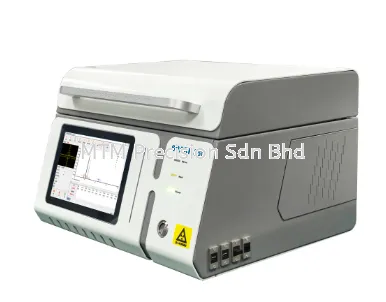
A NOYAFA CCTV Monitor Tester allows installers to configure IP cameras directly from the tester, eliminating the need for a laptop and making installation faster and more efficient.
Why Configure Cameras Without a Laptop?
Using a professional CCTV Monitor Tester offers several advantages:
Faster camera setup
Less equipment to carry
Easier operation in confined spaces
Reduced installation time
Improved mobility on-site
Faster troubleshooting
This is especially useful for technicians handling multiple installations in one day.
Step 1 – Power the Camera
Connect the IP camera to the NOYAFA CCTV Monitor Tester using an Ethernet cable.
If the camera supports PoE, simply use the tester's built-in 48V PoE output to power the camera immediately.
No separate PoE injector is required.
Step 2 – Scan for Devices
Use the tester's network scanning or ONVIF discovery function.
The tester automatically detects compatible IP cameras and displays information such as:
Camera Name
IP Address
MAC Address
Device Status
This allows installers to locate cameras within seconds.
Step 3 – Access Camera Settings
Select the desired camera from the device list.
From the touchscreen, installers can configure:
IP Address
Gateway
Subnet Mask
Camera Name
Login Information
Network Parameters
Everything can be completed directly from the tester.
Step 4 – Verify Live Video
Before mounting the camera permanently, check:
Live image quality
Camera angle
Lens focus
Exposure
Day and Night mode
PTZ movement (if supported)
This helps ensure the camera is correctly configured before installation is completed.
Step 5 – Test the Network
The NOYAFA CCTV Monitor Tester also provides network diagnostic tools to verify:
Network connectivity
Cable condition
IP conflicts
PoE operation
Camera communication
These tests help reduce installation errors and improve system reliability.
Advantages of Using a NOYAFA CCTV Monitor Tester
Compared to using a laptop, a professional CCTV tester offers:
Compact handheld design
Faster startup
Built-in PoE output
ONVIF camera discovery
RJ45 cable testing
Live video preview
H.264 / H.265 decoding
WiFi connectivity
HDMI input and output
Everything needed for camera installation is available in one portable device.
Recommended NOYAFA Models
MTM Precision recommends:
NOYAFA NF-IPC715
NOYAFA NF-IPC716ADHS Pro
NOYAFA NF-IPC722ATCHS
NOYAFA NF-IPC725
NOYAFA NF-IPC728HSO
These models are widely used by CCTV installers, security contractors, and maintenance engineers across Malaysia.
Why Buy from MTM Precision?
MTM Precision supplies genuine NOYAFA CCTV Monitor Testers with:
Ready Stock in Malaysia
Local technical support
Fast nationwide delivery
Competitive pricing
Professional product consultation
Reliable after-sales service
Our experienced team can recommend the best CCTV Monitor Tester based on your installation requirements.
Contact Us
MTM Precision Sdn. Bhd.
🌐 Website: www.mtmpre.com.my
📧 Email: mtmpre@yahoo.com
📱 WhatsApp: +6016-660 7346
Contact MTM Precision today to discover how a NOYAFA CCTV Monitor Tester can help you configure IP cameras quickly and efficiently without using a laptop, making every CCTV installation project in Malaysia easier and more productive.
31 Jul 2026


