






IP Camera Troubleshooting Guide Using a CCTV Monitor Tester Malaysia

IP Camera Troubleshooting Guide Using a CCTV Monitor Tester Malaysia
Introduction
IP cameras are widely used in modern surveillance systems due to their high image quality, remote access capabilities, and flexible network integration. However, installation and maintenance engineers often encounter issues such as cameras not appearing on the network, poor image quality, PoE failures, or communication errors.
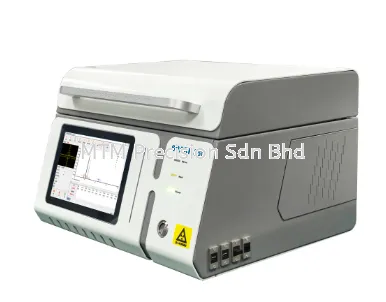
A NOYAFA CCTV Monitor Tester is an essential tool for diagnosing these problems quickly, helping technicians reduce downtime and complete projects more efficiently.
Common Problem 1 – IP Camera Cannot Be Found
Possible Causes
Incorrect IP address
Different subnet
Camera not powered
Faulty network cable
Network switch problem
Solution
Use the Network Scan or ONVIF Discovery function on the NOYAFA CCTV Monitor Tester to detect available devices.
Verify:
Camera IP address
Gateway
Subnet Mask
Network connectivity
Correct the settings before connecting the camera to the NVR.
Common Problem 2 – No Live Video
If the camera appears online but no image is displayed, check:
Camera resolution
Video compression format
Lens cover
Camera firmware
Network bandwidth
Using the tester's live preview function, technicians can immediately determine whether the issue originates from the camera or the recording system.
Common Problem 3 – PoE Camera Not Working
Possible causes include:
Damaged Ethernet cable
Faulty PoE switch
Insufficient power
Incorrect cable termination
With the built-in 48V PoE output, the NOYAFA CCTV Monitor Tester can power the camera directly.
If the camera operates normally, the problem is likely with the network infrastructure rather than the camera itself.
Common Problem 4 – Poor Image Quality
Blurry or distorted images may be caused by:
Incorrect focus
Dirty camera lens
Low lighting
Incorrect exposure settings
Camera mounting angle
The tester's HD touchscreen allows installers to adjust image quality in real time while standing beside the camera.
Common Problem 5 – Network Cable Fault
A damaged cable can cause:
Video interruption
Camera disconnection
Slow communication
PoE instability
The NOYAFA CCTV Monitor Tester allows technicians to verify:
Cable continuity
Wiring sequence
Open circuits
Short circuits
RJ45 connector quality
Testing cables before replacing equipment saves both time and cost.
Common Problem 6 – IP Address Conflict
Duplicate IP addresses may cause cameras to disconnect or become inaccessible.
The tester enables installers to:
Scan the network
Detect duplicate IP addresses
Modify camera settings
Verify network communication
This ensures stable operation after installation.
Recommended NOYAFA CCTV Monitor Testers
For professional troubleshooting, MTM Precision recommends:
NOYAFA NF-IPC715
NOYAFA NF-IPC716ADHS Pro
NOYAFA NF-IPC722ATCHS
NOYAFA NF-IPC725
NOYAFA NF-IPC728HSO
These models combine camera testing, network diagnostics, PoE output, cable testing, and live video monitoring in one portable device.
Why Buy from MTM Precision?
MTM Precision supplies genuine NOYAFA CCTV Monitor Testers with:
Ready Stock in Malaysia
Local technical support
Competitive pricing
Fast nationwide delivery
Professional product consultation
Reliable after-sales service
Our experienced team can recommend the most suitable tester for CCTV installation, maintenance, and troubleshooting.
Contact Us
MTM Precision Sdn. Bhd.
🌐 Website: www.mtmpre.com.my
📧 Email: mtmpre@yahoo.com
📱 WhatsApp: +6016-660 7346
Contact MTM Precision today to explore the complete range of NOYAFA CCTV Monitor Testers and simplify IP camera troubleshooting for your security projects throughout Malaysia.
31 Jul 2026


