





NOYAFA NF-IPC715 for Dahua Camera Installation Malaysia

NOYAFA NF-IPC715 for Dahua Camera Installation Malaysia
Dahua camera installation Malaysia is an important service for CCTV contractors, security system integrators and maintenance technicians working with residential, commercial and industrial surveillance systems.
Dahua offers different types of surveillance equipment, including IP cameras, HDCVI camera systems, recording equipment and associated security products.
These systems may use different video transmission technologies, network requirements, power arrangements and control interfaces.
Professional installers must understand these differences when selecting suitable CCTV testing equipment.
The NOYAFA NF-IPC715 CCTV Camera Tester belongs to the NOYAFA CCTV testing equipment range. Contractors considering this instrument for Dahua camera installation should verify its supported functions and compatibility with the exact camera models.
This guide explains Dahua IP camera testing, HDCVI technology, ONVIF interoperability, H.265 video compression, PoE requirements, recorder integration and common installation problems.
It does not claim universal compatibility between the NF-IPC715 and Dahua surveillance equipment.
Understanding Dahua CCTV Camera Systems
Dahua surveillance installations may include different camera technologies and supporting equipment.
Common system components include:
Dahua IP cameras
Dahua HDCVI cameras
Network video recorders
Digital video recorders
Compatible network switches
Power supply equipment
Ethernet cabling
Coaxial cabling
Video management software
The exact equipment depends on the project requirements and installed product models.
A camera carrying the Dahua brand should not automatically be assumed to support every video format, network protocol or power arrangement.
Dahua IP Camera vs Dahua HDCVI Camera
One important distinction in Dahua CCTV installation is the difference between IP camera systems and HDCVI camera systems.
Dahua IP Camera
An IP camera communicates through compatible network infrastructure.
Its operation may involve:
IP addressing
Network communication
Video compression
Authentication
Network switches
NVR integration
Power requirements
Dahua HDCVI Camera
HDCVI stands for High Definition Composite Video Interface.
It is a video transmission technology associated with compatible analogue HD surveillance systems.
HDCVI installations commonly involve compatible camera and recording equipment connected through suitable video transmission infrastructure.
Why the Difference Matters
An IP camera tester does not automatically support HDCVI video.
Likewise, an instrument supporting HDCVI does not necessarily provide the network functions required for IP camera troubleshooting.
The exact camera technology should be identified before selecting a testing instrument.
Dahua IP Camera vs HDCVI Comparison
ComparisonDahua IP CameraDahua HDCVI CameraCommunication technologyIP networkingCompatible HDCVI video transmissionCommon infrastructureEthernet networkSuitable analogue video cablingRecording equipmentCompatible NVR or other supported systemCompatible DVR or other supported systemNetwork configurationRelevant to IP operationNot generally required for the camera's HDCVI video transmissionVideo compatibilityDepends on supported streams and protocolsDepends on HDCVI signal compatibilityTesting requirementsNetwork and video considerationsAnalogue video signal considerations
The exact installation requirements depend on the equipment.
Why Dahua Camera Compatibility Matters
A camera may operate correctly with its intended recording equipment while remaining incompatible with a particular portable CCTV tester.
Possible reasons include:
Unsupported camera technology
Incompatible video compression
Unsupported video resolution
Different authentication requirements
Unsupported communication protocols
Firmware limitations
Power incompatibility
Manufacturer-specific interfaces
For professional Dahua CCTV installation Malaysia, compatibility should be assessed using the exact camera and tester models.
NOYAFA NF-IPC715 for Dahua Camera Applications
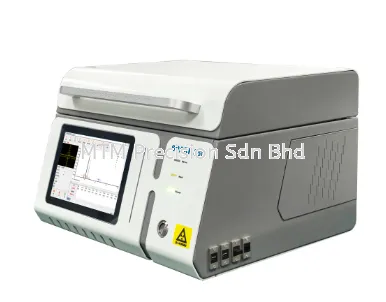
The NOYAFA NF-IPC715 is a portable CCTV testing instrument intended for security installation and maintenance applications.
Contractors evaluating the NF-IPC715 for Dahua installations should confirm:
Supported camera technologies
Compatible video formats
Relevant network functions
Supported video streams
Available connection interfaces
Power-related capabilities
Authentication requirements
Firmware limitations
These capabilities must be confirmed using official manufacturer documentation.
This article does not establish that the NF-IPC715 supports Dahua HDCVI, Dahua-specific network functions or every Dahua IP camera.
Dahua HDCVI Camera Testing Considerations
HDCVI camera testing Malaysia is relevant to contractors maintaining compatible analogue HD surveillance systems.
When selecting a testing instrument, important considerations include:
HDCVI signal support
Camera video format
Required video resolution
Connection interfaces
Recorder compatibility
Power arrangements
Manufacturer documentation
HDCVI vs AHD vs TVI
HDCVI, AHD and TVI are different analogue HD video technologies.
Although certain recording equipment may support multiple formats, this capability should not be assumed for every camera or tester.
A CCTV tester supporting one analogue HD format does not automatically support the others.
NF-IPC715 HDCVI Compatibility
Support for HDCVI on the NF-IPC715 must be verified against the official specifications for the exact supplied model.
No particular HDCVI resolution or decoding capability is claimed here.
Dahua IP Camera Network Connectivity
Dahua IP camera troubleshooting may involve network communication problems.
A camera may receive electrical power while remaining unavailable to the intended recorder.
Possible causes include:
Incorrect network addressing
Damaged Ethernet cabling
Network switch problems
Authentication restrictions
Network segmentation
Firmware issues
Device configuration problems
A camera appearing offline does not automatically indicate that its hardware is defective.
Network connectivity and video availability should be considered separately.
Dahua IP Camera Address Configuration
IP cameras require appropriate network addressing to communicate with compatible equipment.
Common arrangements include DHCP and static IP configuration.
DHCP Addressing
DHCP allows compatible devices to obtain network configuration information through an appropriate DHCP service.
Static IP Addressing
Static IP addressing uses explicitly configured network address information.
Common Addressing Problems
Possible problems include:
Duplicate IP addresses
Incorrect network settings
DHCP service issues
Network segmentation
Configuration changes after equipment replacement
The correct diagnostic approach depends on the installation design and authorised access arrangements.
Dahua ONVIF Camera Compatibility
ONVIF develops standardised interfaces intended to support interoperability between compatible IP-based physical security devices.
Certain Dahua camera models may support relevant ONVIF services.
However, the available functions depend on the exact camera model, firmware and configuration.
ONVIF Device Discovery
Compatible devices may support discovery through appropriate ONVIF-related mechanisms.
ONVIF Video Streaming
Relevant ONVIF services may support video interoperability between compatible equipment.
ONVIF Authentication
Access to camera services may require suitable credentials and supported authentication methods.
NF-IPC715 ONVIF Considerations
The NF-IPC715's support for any required ONVIF services must be confirmed using official manufacturer documentation.
No ONVIF conformance status or specific profile support is claimed here for the NF-IPC715.
Dahua H.264 and H.265 Video Compatibility
H.264 and H.265 are video compression standards used in compatible IP surveillance systems.
Different Dahua camera models and configurations may support different compression options.
Why Video Compression Matters
A camera may communicate with a network while its video stream remains incompatible with the receiving equipment.
A CCTV tester supporting IP camera connectivity does not automatically support every H.264 or H.265 stream.
H.265 and NF-IPC715
Contractors should confirm the NF-IPC715's documented video decoding capabilities before relying on it for H.265 camera applications.
No H.265 decoding capability is claimed without manufacturer confirmation.
Dahua Camera Resolution Compatibility
Different camera models may support different video resolutions.
The selected video stream can influence compatibility with recording and testing equipment.
For projects involving high-resolution cameras, buyers should confirm:
Supported video compression
Required stream resolution
Camera firmware
Receiving equipment compatibility
Tester documentation
A successful preview of one video stream does not establish compatibility with every available resolution.
Dahua PoE Camera Installation
Power over Ethernet (PoE) allows compatible IP cameras to receive electrical power through suitable Ethernet infrastructure.
Some Dahua IP camera models use PoE, while others may have different power arrangements.
Important PoE Considerations
These include:
Camera power requirements
Compatible power sourcing equipment
Supported PoE standards
Available power capacity
Ethernet cable condition
Connector quality
Installation environment
NF-IPC715 PoE Considerations
The availability of PoE-related functions on the NF-IPC715 must be confirmed using official manufacturer specifications.
Do not assume that the tester can power a particular Dahua camera.
Electrical compatibility must be verified before connecting equipment.
Dahua NVR and DVR Integration
Dahua surveillance installations may use different recording equipment depending on the camera technology.
NVR Integration
An NVR receives and records video from compatible IP cameras.
Relevant factors include:
Network configuration
Camera authentication
Video compression
Supported protocols
Firmware compatibility
DVR Integration
A DVR may be used with compatible analogue camera technologies.
Relevant factors include:
Supported video formats
Camera signal characteristics
Recorder input compatibility
Equipment configuration
Why Recorder Compatibility Matters
A camera that works with one recorder may not provide identical functionality with another.
Contractors should review the actual equipment requirements before recommending replacements.
Common Dahua Camera Installation Problems
1. Dahua Camera Has No Image
Possible causes include:
Power supply problems
Cabling faults
Video signal incompatibility
Network communication problems
Authentication issues
Recorder configuration
Camera hardware faults
A missing image should not automatically be attributed to camera failure.
2. Dahua IP Camera Appears Offline
An offline status may result from power, network, addressing or authentication problems.
The exact cause requires further investigation.
3. Dahua HDCVI Camera Has No Video
Possible causes include:
Power supply problems
Damaged video cabling
Connector faults
Incompatible video format
Recorder input limitations
Camera hardware issues
4. Dahua Camera Works on Recorder but Not Tester
The recorder and tester may support different video formats, protocols or authentication methods.
A failed tester connection does not conclusively establish camera failure.
5. Dahua Camera Cannot Be Discovered
Network discovery may be affected by configuration, access restrictions, unsupported discovery mechanisms or firmware differences.
6. Dahua Camera Disconnects Intermittently
Intermittent problems may involve unstable power, cabling, network equipment or camera configuration.
Dahua CCTV Installation for Factories Malaysia
Factory CCTV installation Malaysia may involve cameras installed across production areas, loading zones, entrances and restricted operational spaces.
Relevant considerations include:
Camera technology
Environmental conditions
Power infrastructure
Network reliability
Recording equipment
Maintenance accessibility
Industrial environments may require equipment selected for specific operating conditions.
Testing should follow the facility's approved safety procedures.
Dahua CCTV Maintenance for Warehouses
Warehouses may operate surveillance cameras across storage areas, loading bays, dispatch zones and vehicle access points.
Maintenance teams should consider:
Cable condition
Network switches
Camera power arrangements
Recorder compatibility
Equipment documentation
Environmental exposure
A camera fault may originate from shared infrastructure rather than the individual camera.
Dahua CCTV for Commercial Buildings
Commercial buildings may contain surveillance systems installed over several project phases.
Different areas may use different camera technologies or recorder generations.
Before replacing equipment, contractors should identify the installed system requirements.
Compatibility assessment can help reduce unnecessary equipment replacement.
Dahua CCTV Maintenance for Schools
Educational facilities may use surveillance equipment across entrances, corridors and other designated areas.
Maintenance activities should follow authorised access, privacy and security procedures.
Testing equipment should be selected according to the installed camera technologies.
Dahua CCTV for Data Centres
Data centres may use CCTV as part of controlled physical security infrastructure.
Relevant considerations include:
Network security
Authorised access
Equipment compatibility
System availability
Maintenance documentation
Change management
Testing should be coordinated with the responsible facility and network teams.
Dahua CCTV Installation Checklist Malaysia
The following checklist provides general planning considerations rather than device-specific operating instructions.
Before Installation
Identify the exact Dahua camera model
Determine whether the system uses IP or HDCVI technology
Review recorder compatibility
Confirm power requirements
Review cabling infrastructure
Consider installation environment
Review manufacturer documentation
Commissioning Review
Assess required camera availability
Review video compatibility
Review network communication where applicable
Confirm required recording functions
Review authorised user access
Document outstanding issues
Maintenance Review
Record reported symptoms
Consider power and cabling conditions
Review network infrastructure where applicable
Assess recorder compatibility
Select suitable diagnostic equipment
Follow approved maintenance procedures
Document corrective actions
How to Choose a CCTV Tester for Dahua Cameras Malaysia
1. Identify the Camera Technology
Determine whether the installation uses Dahua IP cameras, HDCVI cameras or a mixed system.
2. Confirm Video Requirements
Review the camera's video format, compression and resolution requirements.
3. Check Network Diagnostic Needs
For IP camera systems, determine whether network communication and discovery functions are required.
4. Review ONVIF Requirements
Identify the relevant interoperability services and compatibility conditions.
5. Confirm Power-Related Functions
Verify the tester's documented electrical capabilities and limitations.
6. Consider Recorder Compatibility
Review the installed DVR or NVR and its supported camera technologies.
7. Review Manufacturer Documentation
Use official specifications for the exact tester version.
8. Consider Technical Support
Choose a supplier who can assist with product selection and compatibility enquiries.
NOYAFA NF-IPC715 vs Other NOYAFA CCTV Testers
Contractors may compare the NOYAFA NF-IPC715 with:
NOYAFA NF-IPC716
NOYAFA NF-IPC722
NOYAFA NF-IPC728HSO
Important comparison criteria include:
Supported camera technologies
HDCVI compatibility
IP video decoding capabilities
ONVIF-related functions
Network diagnostics
PoE-related functions
Connection interfaces
Manufacturer documentation
The appropriate model depends on the intended Dahua installation requirements.
A higher model number does not automatically establish broader Dahua compatibility.
Safety and Security Considerations
Dahua CCTV installation and maintenance may involve electrical equipment, network infrastructure and sensitive surveillance systems.
Important precautions include:
Follow approved electrical safety procedures.
Do not connect incompatible power sources.
Do not exceed manufacturer-specified electrical limits.
Do not modify network configurations without authorisation.
Use authorised camera credentials.
Protect recorder and camera account information.
Follow site-specific security requirements.
Respect applicable privacy obligations.
Portable CCTV testing equipment should be used only within its documented operating conditions.
Limitations of Dahua CCTV Testing Equipment
Portable CCTV testers may have limitations involving:
Camera technology compatibility
HDCVI signal support
Video compression
Supported resolutions
Network protocols
Authentication
Firmware differences
Power-related functions
A successful video preview does not establish that every camera function is supported.
Similarly, a failed connection to a portable tester does not conclusively prove that the Dahua camera is defective.
Additional manufacturer-specific software or diagnostic equipment may be required.
Frequently Asked Questions - Dahua Camera Installation Malaysia
1. What is Dahua camera installation?
Dahua camera installation involves integrating compatible surveillance cameras with suitable power, video transmission and recording infrastructure.
2. Can NOYAFA NF-IPC715 test Dahua cameras?
Compatibility with specific Dahua models must be confirmed using official manufacturer documentation.
3. Does NF-IPC715 support Dahua IP cameras?
The relevant IP camera functions and compatibility must be verified for the exact supplied tester version.
4. Can NF-IPC715 test Dahua HDCVI cameras?
HDCVI support must be confirmed using official specifications. It should not be assumed.
5. What is the difference between Dahua IP and HDCVI cameras?
IP cameras use network communication, while HDCVI cameras use compatible analogue HD video transmission technology.
6. Does NF-IPC715 support Dahua H.265 video?
H.265 decoding capability must be confirmed using official manufacturer documentation.
7. Can NF-IPC715 discover Dahua cameras through ONVIF?
The required ONVIF discovery functions and camera compatibility must be verified.
8. Can NF-IPC715 power Dahua PoE cameras?
This depends on the tester's confirmed output capabilities and the camera's approved power requirements.
9. Why does a Dahua camera show offline?
Possible causes include power problems, network faults, configuration issues, authentication restrictions or equipment failure.
10. Why does a Dahua camera work on a recorder but not a CCTV tester?
The recorder and tester may support different video formats, protocols or authentication methods.
11. Can Dahua cameras work with third-party NVR systems?
Compatibility depends on the exact camera, recorder, firmware and supported interoperability interfaces.
12. Does ONVIF guarantee Dahua compatibility?
No. ONVIF interoperability depends on supported services, profiles and device implementations.
13. Can damaged cabling cause Dahua CCTV video loss?
Yes. Physical cable faults can interrupt video transmission, network communication or relevant power delivery.
14. Is Dahua CCTV maintenance important for factories?
Yes. Industrial facilities may require regular surveillance equipment inspection and fault investigation.
15. Can one CCTV tester diagnose every Dahua problem?
Not necessarily. Different faults may require additional instruments or manufacturer-specific tools.
16. Where can I enquire about NOYAFA NF-IPC715 in Malaysia?
Contact MTM Precision Sdn Bhd for product enquiries, availability confirmation and assistance selecting CCTV testing equipment.
Contact MTM Precision - Dahua CCTV Testing Equipment Malaysia
Looking for a NOYAFA NF-IPC715 CCTV Camera Tester Malaysia or suitable equipment for Dahua IP camera and HDCVI installation, maintenance and troubleshooting?
MTM Precision Sdn Bhd supplies professional testing and measuring instruments for CCTV contractors, security system integrators, network technicians and industrial maintenance teams.
Send us your Dahua camera model, DVR or NVR model, video technology and required testing applications.
Our team can help review suitable equipment options and clarify the product information needed for compatibility assessment.
MTM Precision Sdn Bhd
Address: No. 29-1 & 29-2, Jalan Bandar 18, Pusat Bandar Puchong, 47160 Puchong, Selangor, Malaysia.
WhatsApp / Mobile: +6016-660 7346
Email: mtmpre@yahoo.com
Office Tel: +603-80807172
Website: www.mtmpre.com.my
SEO Meta Description
Explore Dahua camera installation Malaysia with NOYAFA NF-IPC715, including HDCVI, IP cameras, ONVIF, H.265, PoE, NVR compatibility and troubleshooting.
Internal Linking Suggestions
NOYAFA NF-IPC715 CCTV Camera Tester for Security Installers Malaysia
How to Test IP Cameras with NOYAFA NF-IPC715 Malaysia
How to Test 4K CCTV Cameras with NF-IPC715 Malaysia
NOYAFA NF-IPC715 for H.265 IP Camera Testing Malaysia
How to Test AHD, TVI and CVI Cameras with NF-IPC715 Malaysia
How to Use PoE Output on NOYAFA NF-IPC715 Malaysia
How to Troubleshoot CCTV Camera No Image with NF-IPC715 Malaysia
How to Find IP Camera Address with NOYAFA NF-IPC715 Malaysia
NOYAFA NF-IPC715 ONVIF Camera Testing Guide Malaysia
How to Test Network Cable Length with NF-IPC715 TDR Malaysia
NOYAFA NF-IPC715 for CCTV Installation and Maintenance Malaysia
How to Test PTZ Cameras with NOYAFA NF-IPC715 Malaysia
NOYAFA NF-IPC715 for Hikvision Camera Installation Malaysia
IP Camera Not Connecting? Troubleshooting with NF-IPC715 Malaysia
NOYAFA NF-IPC715 vs NF-IPC716 CCTV Tester Malaysia
NOYAFA NF-IPC715 vs NF-IPC722 CCTV Tester Malaysia
Which NOYAFA CCTV Tester Should You Choose Malaysia
Add internal links using verified published URLs only. Do not link to unpublished article drafts.
07 Nov 2026


