






IP Camera Not Connecting? Troubleshooting with NF-IPC715 Malaysia

IP Camera Not Connecting? Troubleshooting with NF-IPC715 Malaysia
IP camera not connecting Malaysia is a common troubleshooting concern for CCTV installers, security system integrators, network technicians and facility maintenance teams.
An IP surveillance camera may be physically installed and connected to network equipment but remain unavailable to its intended network video recorder (NVR), monitoring software or authorised management system.
The problem does not always indicate a defective camera.
Possible causes include network addressing conflicts, DHCP problems, power supply issues, damaged Ethernet cabling, authentication restrictions, incompatible video protocols and recorder configuration.
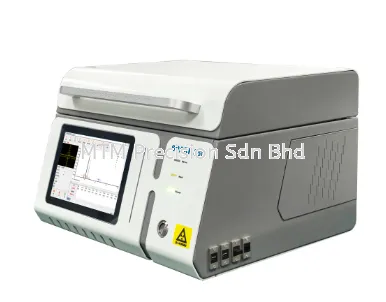
The NOYAFA NF-IPC715 CCTV Camera Tester belongs to the NOYAFA CCTV testing equipment range. Contractors considering this instrument for IP camera troubleshooting should confirm its supported diagnostic functions and compatibility with the intended surveillance equipment.
This guide explains the main causes of IP camera connection failure, the differences between network connectivity and video availability, common NVR integration problems and the limitations of portable CCTV testing instruments.
It does not claim that the NF-IPC715 includes any particular network diagnostic function without official manufacturer confirmation.
What Does IP Camera Not Connecting Mean?
An IP camera connection problem can describe several different situations.
For example:
The camera is not visible on the expected network.
The camera is listed as offline in the NVR.
The camera cannot be accessed by authorised software.
The camera responds through one application but not another.
The camera is reachable but the video stream is unavailable.
The camera disconnects intermittently.
These symptoms may have different causes.
A useful troubleshooting assessment begins by identifying the type of connection failure rather than assuming that all offline camera problems are identical.
IP Camera Offline vs No Video
IP camera offline and IP camera no video are related but different conditions.
ProblemGeneral MeaningPossible CausesCamera OfflineDevice is unavailable to the expected systemPower, network, addressing, access or device problemsCamera Online but No VideoDevice may be reachable but the required video is unavailableStream, codec, authentication or software compatibilityCamera Not FoundDevice is not discovered through the expected methodNetwork segmentation, discovery limitations or configurationCamera Intermittently OfflineConnection availability changes over timePower instability, cabling, network or equipment issuesCamera Works on One NVR OnlyIntegration differs between systemsProtocol, authentication, firmware or compatibility
A camera may have more than one problem at the same time.
The reported symptom should be interpreted in the context of the installed surveillance system.
Main Causes of IP Camera Connection Failure
1. Power Supply Problems
An IP camera requires an appropriate power source.
Power-related problems may include:
Incompatible power equipment
Insufficient available power
Damaged power connections
Unstable power delivery
Equipment failure
Some IP cameras use PoE, while others have different electrical requirements.
The exact requirements depend on the camera model.
2. Ethernet Cable Problems
A damaged or incorrectly terminated Ethernet cable may interrupt communication.
Possible issues include:
Broken conductors
Damaged connectors
Incorrect termination
Poor physical connections
Cable deterioration
Installation damage
A cable that appears connected may still have electrical or performance problems.
3. Incorrect IP Address Configuration
An IP camera must have network configuration appropriate for its intended network.
Incorrect addressing can prevent communication with the NVR or management system.
4. IP Address Conflict
Two devices using the same IP address within the same relevant network context can cause communication problems.
5. DHCP Problems
A camera configured to obtain network information automatically may experience connectivity problems when the required DHCP service is unavailable or unsuitable.
6. Network Switch Problems
Switch configuration, port conditions or network restrictions may affect camera connectivity.
7. Authentication Problems
A camera may be reachable but reject access because of credentials, permissions or authentication incompatibility.
8. NVR Compatibility Problems
A camera may operate through one platform while failing to integrate with another recorder.
IP Address Conflict in CCTV Networks
An IP address conflict occurs when devices use overlapping addressing in a way that interferes with intended communication.
Possible symptoms include:
Intermittent camera availability
Unexpected communication failures
NVR connection problems
Inconsistent device access
However, these symptoms do not conclusively establish an IP conflict.
Other network problems may produce similar behaviour.
Why IP Conflicts Occur
Possible contributing factors include:
Duplicate manual assignments
Addressing changes
Network configuration errors
Inadequate address management
Network configuration changes should be performed only by authorised personnel.
DHCP Problems with IP Cameras
DHCP allows compatible network devices to obtain configuration information from an appropriate DHCP service.
In CCTV installations, DHCP-related problems may arise when:
The expected DHCP service is unavailable.
Network restrictions prevent access to the service.
The camera has unsuitable addressing settings.
The network design does not match the camera configuration.
A camera receiving an address does not automatically establish that it can communicate with the intended NVR.
Other network and access conditions may still affect connectivity.
Static IP vs DHCP for CCTV Cameras
Both static IP and DHCP arrangements may be used in surveillance networks.
ConfigurationGeneral DescriptionConsiderationsStatic IPNetwork address information is explicitly configuredRequires appropriate address managementDHCPNetwork information is obtained through a DHCP serviceDepends on suitable DHCP infrastructureDHCP ReservationA DHCP service is configured to associate a device with a selected addressDepends on network administration and device identification
The appropriate arrangement depends on the network architecture and operational requirements.
There is no single addressing method that is automatically best for every CCTV installation.
IP Camera Network Segmentation Problems
Commercial and industrial networks may use different network segments for security, management and operational purposes.
An IP camera and an NVR may be connected to functioning network equipment but remain unable to communicate because of network design or access restrictions.
Relevant factors include:
VLAN configuration
Routing
Firewall policies
Network access controls
Device permissions
A portable tester cannot automatically bypass these restrictions.
Network troubleshooting should follow the facility's authorised procedures.
PoE Camera Not Connecting
PoE camera not connecting Malaysia is another common concern in IP surveillance maintenance.
Power over Ethernet allows compatible network devices to receive electrical power through suitable Ethernet infrastructure.
However, PoE availability does not automatically establish successful network communication.
Possible PoE-Related Problems
These include:
Incompatible power sourcing equipment
Insufficient available power
Cabling faults
Connector problems
Equipment limitations
Camera power requirements
Power vs Data Communication
Power delivery and data communication are related but distinct functions.
A camera receiving power may still have network connectivity problems.
Similarly, a network communication problem should not automatically be treated as a power supply failure.
NF-IPC715 PoE Considerations
The NF-IPC715's PoE-related functions, if any, must be verified using official manufacturer documentation.
No particular PoE output, measurement capability or electrical rating is claimed here.
ONVIF Camera Not Connecting
ONVIF camera connection problems may arise when compatible surveillance devices cannot communicate through the required interoperability services.
ONVIF develops standardised interfaces for IP-based physical security products.
However, ONVIF-related functionality depends on the actual device implementation.
Common ONVIF Considerations
These include:
Supported services
Supported profiles
Device configuration
Authentication
Network access
Firmware differences
Video stream compatibility
A camera being discoverable through a particular mechanism does not automatically guarantee that the receiving system can display its video.
NF-IPC715 ONVIF Considerations
The NF-IPC715's support for any required ONVIF functions must be verified against official specifications.
This article does not claim a particular ONVIF profile or conformance status for the NF-IPC715.
IP Camera Authentication Failure
An IP camera may be accessible through the network while rejecting access to certain functions.
Possible causes include:
Incorrect credentials
Insufficient user permissions
Unsupported authentication methods
Account restrictions
Security configuration
Firmware compatibility
Why Authentication Matters
Network reachability does not guarantee authorisation to access video or camera settings.
Technicians should use only approved credentials and follow the customer's security procedures.
Unauthorised access attempts or security bypasses are not appropriate troubleshooting methods.
IP Camera Connected but No Video Stream
A camera may appear online while the intended software or recorder cannot display video.
Possible causes include:
Unsupported video compression
Incompatible stream settings
Authentication restrictions
Unsupported protocols
Firmware differences
Recorder limitations
H.264 and H.265 Compatibility
H.264 and H.265 are video compression standards used by compatible surveillance equipment.
Support for network communication does not automatically establish support for every video codec.
A CCTV tester's video decoding capabilities must be verified separately.
NVR Cannot Connect to IP Camera
NVR camera connection failure can occur even when the camera and recorder are individually operational.
Possible factors include:
Network configuration
Device authentication
Supported protocols
Video compression
Firmware compatibility
Recorder limitations
Camera Works with Manufacturer Software but Not NVR
Manufacturer software may support proprietary functions or interfaces unavailable through third-party recorders.
This does not automatically indicate a camera defect.
Camera Works with NVR but Not Portable Tester
A recorder and portable tester may have different supported protocols, video formats or authentication methods.
A failed tester connection should not be treated as conclusive evidence of camera failure.
IP Camera Not Connecting After Replacement
Camera replacement can introduce new compatibility requirements.
Important considerations include:
New camera model
Network addressing
Power requirements
Supported video formats
Recorder compatibility
Firmware
Authentication
Network access policies
A replacement camera should not automatically be assumed to work with the previous system configuration.
IP Camera Not Connecting After Power Interruption
Following a power interruption, some CCTV systems may experience temporary or persistent connection problems.
Possible contributing factors include:
Power equipment condition
Network infrastructure availability
Device startup behaviour
Addressing changes
Equipment faults
The actual cause depends on the installed system.
Technicians should avoid assuming that a power interruption necessarily damaged the camera.
Intermittent IP Camera Disconnection
Intermittent IP camera disconnection can be particularly difficult to investigate because the reported problem may not be present during inspection.
Possible causes include:
Unstable power delivery
Damaged Ethernet connections
Network equipment problems
Addressing conflicts
Environmental exposure
Device faults
Maintenance records can help identify recurring patterns.
A single successful connection test does not guarantee long-term reliability.
CCTV Network Fault Isolation
Network fault isolation involves distinguishing possible causes of a reported problem.
For IP surveillance systems, the main categories may include:
Fault CategoryExamplesCameraDevice hardware, firmware or configurationPowerSupply compatibility, availability or stabilityCablingPhysical cable or connector problemsNetworkAddressing, switches, VLANs or routingAuthenticationCredentials, permissions or supported methodsVideoCodec, stream or decoding compatibilityRecorderNVR integration, configuration or limitations
Different fault categories may require different instruments.
No single diagnostic result should automatically be treated as a complete explanation.
NOYAFA NF-IPC715 for Network Troubleshooting
The NOYAFA NF-IPC715 may be considered when selecting portable equipment for CCTV installation and maintenance.
Before relying on it for IP camera connection troubleshooting, contractors should confirm whether the exact model provides the required diagnostic capabilities.
Questions to ask include:
Does the instrument support the required camera technology?
Which network-related functions are documented?
Are the required video formats supported?
Which connection interfaces are available?
Are the intended authentication methods compatible?
Are any relevant power-related functions provided?
What limitations apply to the selected camera models?
Official manufacturer documentation should be used to answer these questions.
This article does not claim that the NF-IPC715 includes IP scanning, ping, DHCP diagnostics, ONVIF discovery, cable testing or other specific functions.
IP Camera Troubleshooting for Factories Malaysia
Factory IP camera troubleshooting Malaysia may involve surveillance systems installed across production areas, loading zones and restricted operational spaces.
Industrial facilities may contain managed network infrastructure and access restrictions.
Maintenance teams should consider:
Network segmentation
Power infrastructure
Cabling routes
Environmental exposure
Recorder integration
Authorised network access
Testing should follow the facility's approved procedures.
IP Camera Troubleshooting for Warehouses
Warehouses may operate surveillance cameras across large storage and logistics areas.
Connection problems may involve shared network switches or cabling infrastructure.
Important considerations include:
Network equipment condition
Power availability
Cable routes
Camera configuration
Recorder compatibility
Maintenance documentation
A camera fault should not automatically be attributed to the camera itself.
IP Camera Troubleshooting for Commercial Buildings
Commercial buildings may contain surveillance systems installed during different renovation phases.
Different sections may use different camera models, recorders or network arrangements.
Technicians should review the installed system before recommending equipment replacement.
IP Camera Troubleshooting for Schools
Educational facilities may use IP surveillance systems across entrances, corridors and designated monitoring areas.
Maintenance work should respect authorised access, privacy and security requirements.
Network configuration changes should be coordinated with the responsible IT team.
IP Camera Troubleshooting for Data Centres
Data centres may use IP surveillance as part of controlled physical security infrastructure.
Relevant considerations include:
Network security
Access permissions
Change management
Equipment compatibility
System availability
Maintenance records
Unauthorised testing or configuration changes should be avoided.
IP Camera Connection Troubleshooting Checklist Malaysia
The following checklist provides general fault assessment categories rather than device-specific operating instructions.
Reported Symptoms
Camera appears offline
Camera cannot be discovered
Camera is reachable but video is unavailable
Camera disconnects intermittently
Camera works with one platform but not another
Infrastructure Considerations
Camera power requirements
Ethernet cabling
Network switches
IP addressing
Network segmentation
Recorder configuration
Compatibility Considerations
Camera model
Firmware
Authentication
Supported protocols
Video compression
Recorder compatibility
Maintenance Documentation
Record the reported problem
Identify affected equipment
Review previous maintenance history
Document confirmed findings
Record unresolved issues
Follow approved corrective maintenance procedures
How to Choose an IP Camera Troubleshooting Tester Malaysia
1. Identify the Main Fault Categories
Determine whether technicians primarily investigate cabling, power, network communication or video problems.
2. Confirm Required Diagnostic Functions
Select equipment according to the actual maintenance requirements.
3. Review Camera Compatibility
Check supported camera technologies, video formats and authentication requirements.
4. Consider Network Environment
Managed networks may have access restrictions that affect testing.
5. Review Electrical Limitations
Any power-related functions must be suitable for the intended application.
6. Confirm Manufacturer Specifications
Use current official documentation rather than assumptions based on product appearance or model numbering.
7. Consider Technical Support
Choose a supplier who can assist with product enquiries and compatibility assessment.
NOYAFA NF-IPC715 vs Other NOYAFA CCTV Testers
Contractors may compare the NOYAFA NF-IPC715 with:
NOYAFA NF-IPC716
NOYAFA NF-IPC722
NOYAFA NF-IPC728HSO
Important comparison criteria include:
Confirmed network diagnostic functions
Supported camera technologies
Video decoding capabilities
ONVIF-related functions
Cable testing capabilities
Power-related functions
Connection interfaces
Manufacturer documentation
The appropriate model depends on the intended troubleshooting requirements.
A higher model number does not automatically establish broader diagnostic capability.
Safety and Security Considerations
IP camera troubleshooting may involve powered equipment and security-sensitive network infrastructure.
Important precautions include:
Follow approved electrical safety procedures.
Do not connect incompatible power sources.
Do not exceed manufacturer-specified electrical limits.
Do not connect unverified instruments to powered cabling.
Do not modify network settings without authorisation.
Use approved camera credentials.
Protect sensitive network information.
Follow site-specific maintenance requirements.
Portable CCTV testing equipment should be used only within its documented operating conditions.
Limitations of IP Camera Troubleshooting Equipment
Portable testing instruments may have limitations involving:
Network diagnostic functions
Camera compatibility
Video compression
Authentication
Firmware differences
Network restrictions
Power-related functions
Cable testing capabilities
A successful network connection does not prove that every camera function is operating correctly.
Similarly, a failed connection does not conclusively establish camera hardware failure.
Additional diagnostic equipment or manufacturer-specific software may be required.
Frequently Asked Questions - IP Camera Not Connecting Malaysia
1. Why is my IP camera not connecting?
Possible causes include power problems, network configuration, damaged cabling, authentication restrictions, recorder compatibility or camera faults.
2. Does an offline IP camera mean the camera is defective?
No. An offline status may originate from network infrastructure, power delivery or configuration problems.
3. Can NOYAFA NF-IPC715 troubleshoot IP camera connection problems?
Its suitability depends on the exact diagnostic functions and compatibility confirmed by official manufacturer documentation.
4. Can NF-IPC715 find an IP camera address?
Any IP address discovery function must be verified using official product specifications.
5. Can NF-IPC715 detect an IP address conflict?
Specific network diagnostic capabilities should not be assumed without manufacturer confirmation.
6. What is DHCP in CCTV networking?
DHCP is a service that allows compatible devices to obtain network configuration information automatically.
7. Can duplicate IP addresses cause camera connection problems?
Yes. Address conflicts can interfere with intended network communication.
8. Why does my PoE camera have power but no network connection?
Possible causes include cabling faults, network configuration, switch problems, authentication restrictions or camera faults.
9. Can ONVIF problems prevent camera integration?
Yes. Unsupported services, authentication differences or other compatibility limitations can affect interoperability.
10. Why can my NVR not connect to an IP camera?
Possible causes include network configuration, authentication, protocol compatibility, firmware or recorder limitations.
11. Can a camera be online without displaying video?
Yes. Network reachability and video stream compatibility are different considerations.
12. Can H.265 cause compatibility problems?
A receiving device that does not support the required video stream may be unable to display it.
13. Why does my IP camera disconnect intermittently?
Possible causes include unstable power, damaged cabling, network problems, address conflicts or device faults.
14. Can one CCTV tester diagnose every network problem?
Not necessarily. Different fault categories may require additional instruments or manufacturer-specific tools.
15. Is IP camera troubleshooting important for factories and warehouses?
Yes. These facilities may depend on extensive network surveillance infrastructure requiring regular maintenance.
16. Where can I enquire about NOYAFA NF-IPC715 in Malaysia?
Contact MTM Precision Sdn Bhd for product enquiries, availability confirmation and assistance selecting CCTV testing equipment.
Contact MTM Precision - IP Camera Troubleshooting Equipment Malaysia
Looking for a NOYAFA NF-IPC715 CCTV Camera Tester Malaysia or suitable equipment for IP camera connection troubleshooting, CCTV installation and network maintenance?
MTM Precision Sdn Bhd supplies professional testing and measuring instruments for CCTV contractors, security system integrators, network technicians and industrial maintenance teams.
Send us your camera model, NVR model, reported connection symptoms and required testing applications.
Our team can help review suitable equipment options and clarify the manufacturer's documented capabilities.
MTM Precision Sdn Bhd
Address: No. 29-1 & 29-2, Jalan Bandar 18, Pusat Bandar Puchong, 47160 Puchong, Selangor, Malaysia.
WhatsApp / Mobile: +6016-660 7346
Email: mtmpre@yahoo.com
Office Tel: +603-80807172
Website: www.mtmpre.com.my
SEO Meta Description
IP camera not connecting in Malaysia? Explore NOYAFA NF-IPC715 troubleshooting considerations for IP conflicts, DHCP, PoE, ONVIF and NVR connection issues.
Internal Linking Suggestions
NOYAFA NF-IPC715 CCTV Camera Tester for Security Installers Malaysia
How to Test IP Cameras with NOYAFA NF-IPC715 Malaysia
How to Test 4K CCTV Cameras with NF-IPC715 Malaysia
NOYAFA NF-IPC715 for H.265 IP Camera Testing Malaysia
How to Test AHD, TVI and CVI Cameras with NF-IPC715 Malaysia
How to Use PoE Output on NOYAFA NF-IPC715 Malaysia
How to Troubleshoot CCTV Camera No Image with NF-IPC715 Malaysia
How to Find IP Camera Address with NOYAFA NF-IPC715 Malaysia
NOYAFA NF-IPC715 ONVIF Camera Testing Guide Malaysia
How to Test Network Cable Length with NF-IPC715 TDR Malaysia
NOYAFA NF-IPC715 for CCTV Installation and Maintenance Malaysia
How to Test PTZ Cameras with NOYAFA NF-IPC715 Malaysia
NOYAFA NF-IPC715 for Hikvision Camera Installation Malaysia
NOYAFA NF-IPC715 for Dahua Camera Installation Malaysia
PoE Camera Troubleshooting with NOYAFA NF-IPC715 Malaysia
NOYAFA NF-IPC715 vs NF-IPC716 CCTV Tester Malaysia
NOYAFA NF-IPC715 vs NF-IPC722 CCTV Tester Malaysia
Which NOYAFA CCTV Tester Should You Choose Malaysia
Add internal links using verified published URLs only. Do not link to unpublished article drafts.
07 Nov 2026


