





Network Cable Tester for Data Centre Maintenance Malaysia – Noyafa NF-8506

Network Cable Tester for Data Centre Maintenance Malaysia – Noyafa NF-8506
Data centres and server rooms can contain hundreds or thousands of Ethernet connections. When one network cable, patch-panel connection, switch port, or connected device develops a problem, identifying the correct connection quickly is critical.
For technicians responsible for server rooms, network racks, structured cabling, switches, and IT infrastructure, a basic RJ45 continuity tester may not provide enough troubleshooting capability.
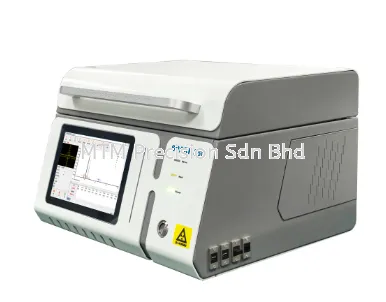
The Noyafa NF-8506 Multi-function Cable Tester combines cable tracing, wire mapping, cable length measurement, PoE testing, Port Flash, PING, IP scanning, and other useful functions in one portable instrument.
This makes it worth considering for day-to-day network maintenance work in Malaysian data centres, server rooms, IT rooms, and commercial network environments.
Why Is Network Troubleshooting Difficult in a Data Centre?
The challenge is usually not simply testing one Ethernet cable.
The first challenge may be finding the correct cable.
A network rack can contain:
Multiple switches
Patch panels
Servers
Network appliances
Uplinks
Management connections
CCTV connections
Access control connections
Large numbers of patch cables
When documentation and labels are perfect, troubleshooting is easier.
When they are not, identifying one connection can consume significant maintenance time.
What Should a Data Centre Network Cable Tester Do?
For general maintenance and troubleshooting, useful capabilities can include:
Cable identification
Wire-map testing
Cable length measurement
Switch-port identification
Network link checking
PING
IP scanning
PoE testing where applicable
Not every task requires every function.
The advantage of a multifunction tester is having several diagnostic options available when the exact fault is not yet known.
Cable Tracing in Network Racks
Imagine a technician needs to identify one Ethernet cable among dozens of similar cables.
The cable label is missing.
Manually following the cable through a dense rack can be difficult.
Cable tracing helps technicians identify the physical cable more efficiently.
This can be useful during:
Fault finding
Cable replacement
Network migration
Rack reorganization
Equipment upgrades
Documentation work
After identifying the cable, label it properly to reduce future maintenance time.
Finding the Correct Switch Port
Another common question is:
Which switch port does this cable connect to?
The NF-8506 includes Port Flash functionality that can assist with identifying the corresponding network switch connection.
This is particularly useful when working with switches containing many active ports.
Correct identification helps technicians avoid disconnecting unrelated equipment.
Why Avoid Randomly Disconnecting Cables?
In a live IT environment, randomly unplugging cables can create additional problems.
The wrong connection may serve:
A server
A network appliance
An access point
An IP camera
A management interface
An access control system
Another important network device
Troubleshooting should reduce disruption rather than create more downtime.
Proper cable and port identification is therefore important.
Wire-Map Testing for Physical Cable Problems
Not every network fault is caused by a switch or software configuration.
The physical Ethernet connection may have:
Open conductors
Short circuits
Incorrect wiring
Poor termination
Damaged connectors
Cable damage
Wire-map testing helps technicians investigate the physical connection before moving further into network diagnostics.
Cable Length Measurement
The NF-8506 supports cable length measurement for compatible network cables, with Noyafa publishing an approximate range of 2.5–200 metres.
Cable length information can be useful for installed infrastructure where the entire cable route cannot be seen.
For example:
Network Rack → Raised Floor → Cable Tray → Equipment Area
Technicians may not be able to physically measure this route easily.
A tester with cable length measurement can provide useful information during troubleshooting and documentation.
PING Testing in Server Room Maintenance
A cable can pass its physical test while the connected network device remains unreachable.
This is where PING becomes useful.
PING helps answer a different question:
Can the target IP address be reached through the network?
If the cable passes but PING fails, the technician can continue investigating network configuration, connected equipment, IP addressing, or other causes.
IP Scan for Existing Networks
Existing IT environments are not always perfectly documented.
Technicians may need to identify network devices or investigate an unfamiliar network.
IP scanning can be useful when:
Taking over an existing installation
Troubleshooting unknown devices
Investigating IP equipment
Checking network changes
Working with incomplete documentation
It complements physical cable testing by providing additional information about the active network.
PoE in Data Centre and IT Environments
PoE may also be present in infrastructure connected through server rooms and network racks.
Typical PoE devices include:
Wireless access points
IP CCTV cameras
VoIP phones
Access control equipment
A network technician troubleshooting these devices may need to check both the physical Ethernet cable and PoE conditions.
The NF-8506 combines these capabilities in the same instrument.
Example: Wi-Fi Access Point Offline
Suppose a Wi-Fi access point connected through the main network room goes offline.
A technician may need to determine:
Which cable belongs to the access point?
Which switch port serves it?
Is the Ethernet cable wired correctly?
Is PoE available?
Can the device be reached by PING?
This is a good example of why multifunction network testing can be useful.
Example: Unknown Network Cable in a Rack
During a network upgrade, a technician finds several cables with missing labels.
Before removing anything, the correct approach is to identify and document the connections.
A possible workflow is:
Trace Cable → Identify Port → Test Connection → Label → Document
This is much safer than assuming an unidentified cable is unused.
Example: Server Room Migration
Network migrations often involve moving equipment from one switch or rack to another.
Poor cable identification can cause:
Incorrect connections
Longer downtime
Troubleshooting delays
Documentation errors
Using cable tracing and port identification before migration can help technicians understand the existing infrastructure before changes are made.
NF-8506 for Data Centre Technicians
The NF-8506 can be useful for everyday troubleshooting because it combines physical cable and basic network diagnostic functions.
A technician can move through a workflow such as:
Identify → Trace → Wire Map → Measure → Find Port → Check Network
This reduces the need to carry a separate basic tester for every stage.
Important: NF-8506 Is Not a Network Certifier
Data centre applications can have strict cabling standards.
The NF-8506 should not automatically be considered a replacement for professional cable certification equipment.
If a project requires formal Cat6, Cat6a, or other structured cabling certification according to a specified standard, specialized certification equipment may be required.
The NF-8506 is better positioned for installation checks, identification, maintenance, and troubleshooting.
Who Can Use the NF-8506?
Potential users include:
Data centre maintenance technicians
IT support teams
Network engineers
Network contractors
Structured cabling installers
Facility maintenance teams
System integrators
CCTV and ELV contractors
The instrument is particularly relevant when technicians frequently troubleshoot existing Ethernet infrastructure.
Data Centre vs Normal Office Network Testing
The basic troubleshooting principles are similar.
The difference is scale and consequence.
An office may have one or two network switches.
A larger IT environment may contain many switches, racks, patch panels, and interconnected systems.
As network complexity increases, proper cable identification and documentation become increasingly important.
Good Network Maintenance Practice
Testing tools work best when combined with good network management.
After identifying a connection:
Label the cable.
Record the switch port.
Update the patch-panel schedule.
Record the connected equipment.
Update network documentation.
Retest after changes.
A tester solves today's problem.
Good documentation helps prevent tomorrow's problem.
Choosing a Network Cable Tester for Data Centre Maintenance
Before buying, ask what your technicians actually need.
If the requirement is only checking RJ45 continuity, a basic tester may be enough.
If technicians regularly need to:
Trace cables
Check wiring
Measure cable length
Find switch ports
Check PoE
PING devices
Scan IP networks
then a multifunction tester can provide greater value.
The Noyafa NF-8506 is one option for this type of general network maintenance workflow.
Network Cable Tester for Data Centre Malaysia
For Malaysian data centres, server rooms, IT departments, network contractors, and facility maintenance teams, fast identification and troubleshooting can reduce unnecessary downtime and technician time.
The Noyafa NF-8506 provides a useful combination of cable and basic network diagnostic functions for everyday maintenance work.
For more specialized testing, certification, or advanced network analysis, additional professional equipment may still be required.
Contact MTM Precision
For Noyafa NF-8506 Network Cable Tester for Data Centre & Server Room Maintenance in Malaysia, quotation, availability, or network testing equipment recommendations, contact:
MTM Precision Sdn Bhd
No. 29-1 & 29-2, Jalan Bandar 18
Pusat Bandar Puchong
47160 Puchong, Selangor, Malaysia
Website: www.mtmpre.com.my
WhatsApp: +6016-660 7346
Email: mtmpre@yahoo.com
24 Aug 2026


