






Ethernet Cable Troubleshooting Tools Malaysia What Network Technicians Really Need

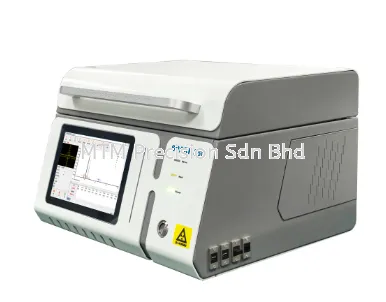
Ethernet Cable Troubleshooting Tools Malaysia What Network Technicians Really Need What tools do you actually need to troubleshoot an Ethernet network? The answer depends on the problem. A network connection can fail because of an incorrectly terminated RJ45 connector, damaged cable, missing PoE, wrong switch connection, IP configuration problem, or failed network device. This means professional troubleshooting usually requires more than a simple RJ45 continuity tester. For Malaysian network technicians, IT teams, CCTV installers, structured cabling contractors, and ELV contractors, a multifunction network tester such as the Noyafa NF-8506 can combine several commonly required diagnostic functions into one portable instrument. Quick Answer: What Tools Are Needed for Ethernet Troubleshooting? For everyday network installation and maintenance, useful tools can include: Network cable tester Cable tracer Wire-map tester Cable length tester PoE tester Switch-port identification tool PING tool IP scanner RJ45 crimping tool RJ45 connectors and spare patch cables Basic hand tools The exact toolkit should match the networks you maintain. 1. Network Cable Tester A network cable tester is one of the fundamental tools for Ethernet troubleshooting. It helps technicians investigate the physical cabling before blaming the switch, router, computer, or IP camera. Typical applications include: New cable installation RJ45 termination checking Existing network troubleshooting Patch cable checking CCTV cabling Structured cabling maintenance For simple work, a basic tester may be sufficient. Professional troubleshooting often requires additional functions. 2. Wire-Map Tester Wire-map testing helps technicians check how the Ethernet conductors are connected between both ends. It can assist with identifying wiring problems such as: Open connections Short circuits Incorrect wiring Termination problems This should be one of the first tests performed when a newly terminated Ethernet cable does not work. 3. Network Cable Tracer Sometimes the cable itself is not yet the problem. First, you need to find it. Imagine a network cabinet containing 80 Ethernet cables. The customer asks: “Which one goes to the meeting room?” A cable tracer helps technicians identify the corresponding physical cable. This is particularly valuable in older installations with poor labelling. 4. Cable Length Tester Once Ethernet cables have been installed through walls, ceilings, cable trays, conduits, or raised floors, measuring them physically becomes difficult. Cable length measurement provides additional information about the installed run. This can be useful for: Troubleshooting Installation records Network renovation Cable replacement planning Existing building surveys The NF-8506 includes cable lengt measurement for compatible network cabling. 5. PoE Tester PoE testing is increasingly important because many network devices receive power through Ethernet. Examples include: IP cameras Wi-Fi access points VoIP phones Access control equipment If one of these devices stops working, technicians should investigate whether the expected PoE condition is available before replacing the device. A PoE problem can easily be mistaken for equipment failure. 6. Switch Port Identification A technician may know which physical cable is involved but still need to determine: “Which switch port is it connected to?” This can become difficult when a rack contains several 24-port or 48-port switches. Port identification tools help reduce the need to disconnect cables randomly. The Noyafa NF-8506 includes Port Flash functionality for this type of task. 7. PING Tool Physical cabling is only one part of the network. A cable can pass a wire-map test while the connected IP device remains unreachable. PING helps technicians investigate basic IP connectivity. This is particularly useful for troubleshooting: IP cameras Network printers Servers Wireless access points Other IP devices 8. IP Scanner IP scanning can help technicians understand what devices are present on an existing network. This becomes valuable when documentation is missing or outdated. For example, a technician taking over an old CCTV system may not know the addresses assigned to all connected devices. IP-related diagnostic functions can help during the investigation. 9. RJ45 Crimping Tool Testing tells you that a problem exists. You also need the tools to repair it. A good RJ45 crimping tool is important for technicians who regularly terminate Ethernet cables. Keep suitable connectors and basic termination accessories available as part of the field toolkit. After replacing a connector, always test the cable again. 10. Known-Good Patch Cable One of the simplest troubleshooting tools is also one of the most useful. Keep a known-good patch cable in your toolkit. Replacing a suspect patch lead temporarily can quickly eliminate one possible cause. Do not make troubleshooting more complicated than necessary. Why One Tester Is Often Not Enough Traditionally, technicians may carry separate instruments for different tasks. For example: Tester A → Wire Map Tester B → Cable Tracing Tester C → PoE Laptop → PING / IP Diagnostics This approach works, but it can make the field toolkit larger and the troubleshooting workflow less convenient. Multifunction network testers aim to combine several of these common functions. Noyafa NF-8506 as a Multifunction Troubleshooting Tool The Noyafa NF-8506 combines functions for: Cable tracing Wire mapping Cable continuity checking Cable length measurement PoE testing Port Flash PING IP scanning Network link checking NCV detection For technicians who regularly encounter different types of network problems, this combination can be more practical than carrying only a basic RJ45 tester. Example: Office Network Point Not Working A user reports: “My computer has no network.” A systematic technician does not immediately replace the switch. The troubleshooting process may be: Check Patch Cable → Check Wall Outlet → Trace Cable → Wire Map → Identify Switch Port → Check Network → PING Each step removes possible causes. This is faster and more reliable than replacing components by trial and error. Example: IP Camera Offline A CCTV installer receives a call that Camera 15 is offline. Possible causes include: Camera failure RJ45 problem Cable damage No PoE Wrong switch connection IP configuration problem A useful workflow could be: Trace → Wire Map → PoE → Port Identification → IP Scan → PING The technician can then decide whether the problem is the cable, power, network, or camera. Example: Wi-Fi Access Point Offline A ceiling-mounted access point stops working. Before climbing up and replacing it, the IT technician can investigate the network side. Check: Ethernet connection Cable wiring PoE Switch port Network connectivity If the problem is at the network cabinet, replacing the access point would not solve anything. Ethernet Troubleshooting for Factories Factories can have network infrastructure distributed across: Production areas Offices Warehouses CCTV systems Security systems Control rooms The cabling may also have been expanded over many years. Cable tracing and identification can therefore be just as important as electrical continuity testing. Ethernet Troubleshooting for Hotels Hotels depend on network infrastructure for: Guest Wi-Fi CCTV POS IP phones Offices Access control Other building systems Because many systems are active simultaneously, technicians should avoid randomly disconnecting network cables during troubleshooting. Proper cable and port identification becomes important. Ethernet Troubleshooting for CCTV IP CCTV technicians are effectively working with network infrastructure. Modern CCTV troubleshooting therefore requires an understanding of: Ethernet cabling PoE Switches IP addresses Network connectivity A simple RJ45 continuity tester may not be enough for technicians servicing larger IP surveillance systems. Basic Tester or Multifunction Tester? Choose a basic tester if your work mainly involves: Making patch cables Simple RJ45 continuity checks Occasional small installations Consider a multifunction tester if you regularly need: Cable tracing Cable length testing PoE checking Switch-port identification PING IP scanning The correct choice depends on your workload. What About Professional Cable Certification? Network troubleshooting tools and cable certification instruments serve different purposes. A multifunction tester such as the NF-8506 is useful for practical installation, maintenance, identification, and fault finding. If a project requires formal Cat6 or Cat6a certification according to a specified standard, specialized certification equipment may be required. Do not confuse troubleshooting with certification. Building a Network Technician Toolkit A practical field toolkit should allow the technician to: Find → Test → Diagnose → Repair → Retest → Document Testing instruments are only part of the process. Good hand tools, spare connectors, known-good patch cables, labels, and proper documentation are equally important. Ethernet Troubleshooting Tools in Malaysia For Malaysian network contractors, IT technicians, CCTV installers, ELV contractors, system integrators, and maintenance teams, the best toolkit is one that matches the problems encountered on site. If your work regularly involves both physical Ethernet cabling and active IP networks, a multifunction tester can reduce the number of separate instruments required for everyday troubleshooting. The Noyafa NF-8506 is one option for technicians who want cable tracing, wire mapping, cable length measurement, PoE checking, switch-port identification, and basic IP diagnostics in one portable instrument. Contact MTM Precision For Noyafa NF-8506 and Ethernet Cable Troubleshooting Tools in Malaysia, quotation, availability, or network testing equipment recommendations, contact: MTM Precision Sdn Bhd No. 29-1 & 29-2, Jalan Bandar 18 Pusat Bandar Puchong 47160 Puchong, Selangor, Malaysia Website: www.mtmpre.com.my WhatsApp: +6016-660 7346 Email: mtmpre@yahoo.com
24 Aug 2026


